UI tools and MCP server
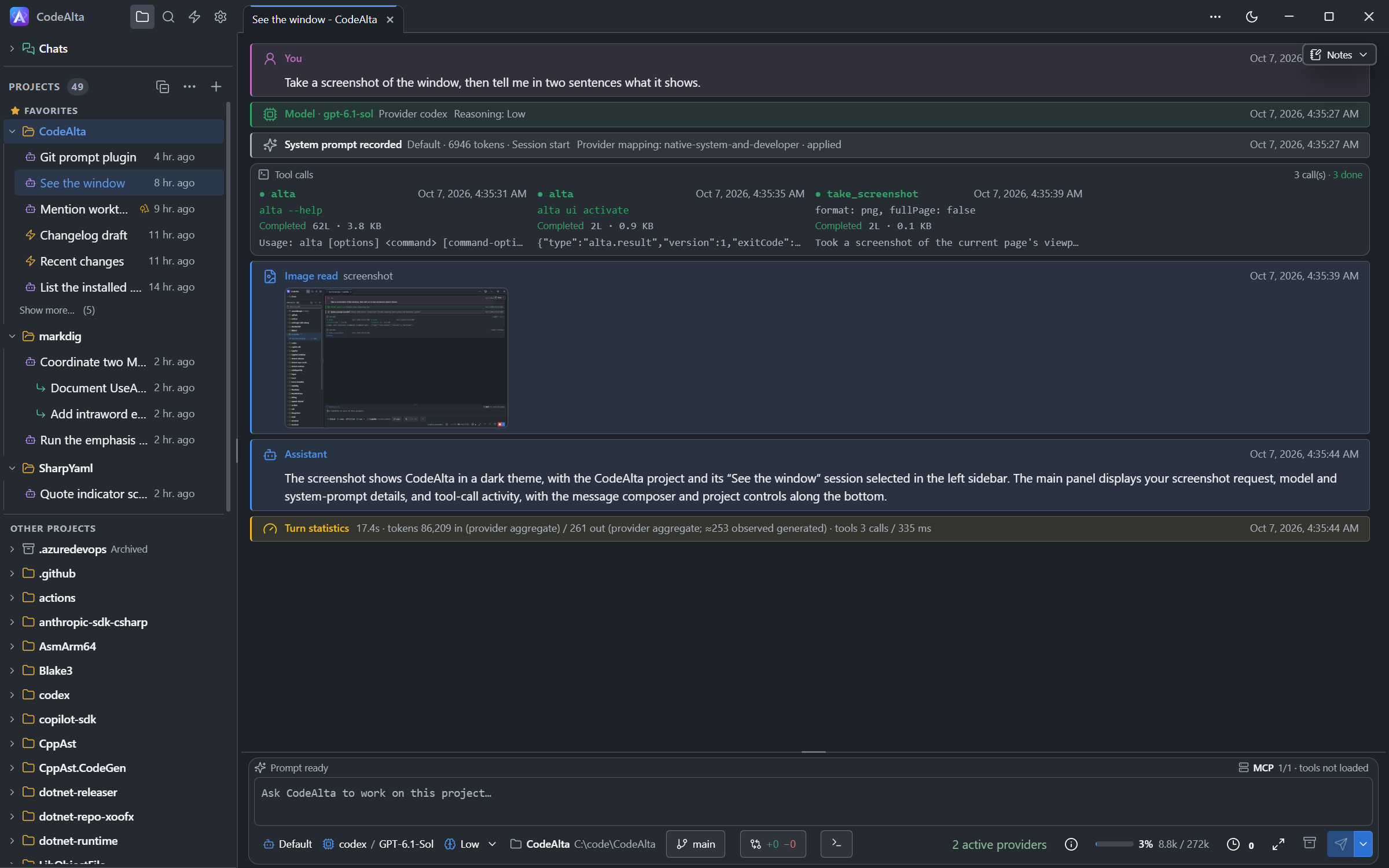
An agent can see and drive the window of CodeAlta Desktop: it takes a screenshot, reads what the window shows, clicks and types. A session of CodeAlta does it for the window it runs in. Another application, such as Claude Code or Codex, does it through the MCP server of CodeAlta.
The tools are in CodeAlta Desktop only. They have the names of Chrome DevTools MCP, which agents already know.
Let an agent look at the window
Ask in your own words, in any session:
Take a screenshot of the window and tell me what the Changes tab shows.
Open Settings, go to Appearance and switch to the light theme.
The agent turns the tools on for its session, then uses them. A screenshot appears in the timeline, in an Image read card.
Connect another application
CodeAlta Desktop runs an MCP server on your computer. Open Settings, then CodeAlta MCP.
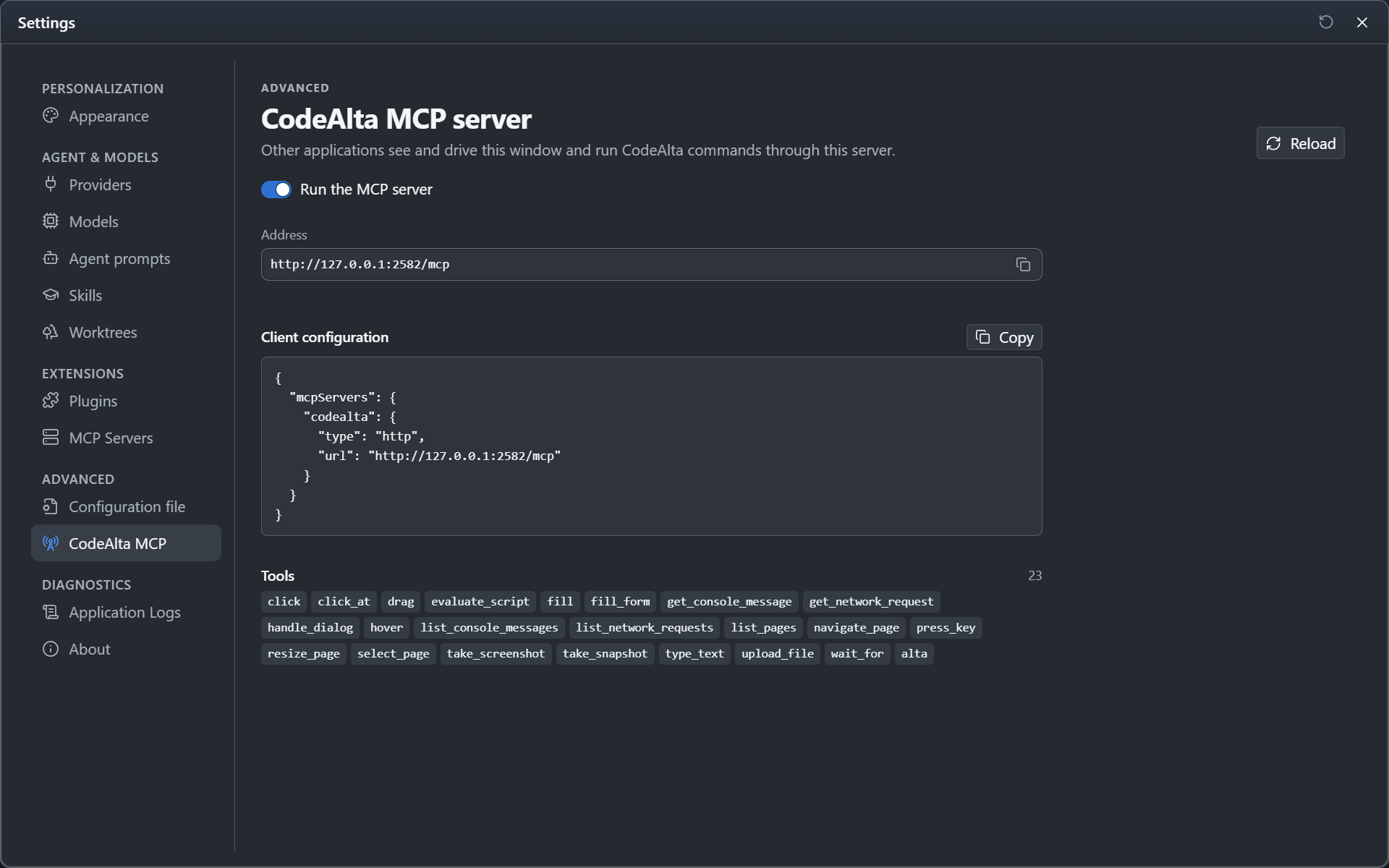
- Click Copy beside Client configuration.
- Paste it into the MCP configuration of the other application, for example the
.mcp.jsonfile of a project for Claude Code.
{
  "mcpServers": {
    "codealta": {
      "type": "http",
      "url": "http://127.0.0.1:2582/mcp"
    }
  }
}
The application then has the tools of the window, and alta, which runs the commands of CodeAlta: list the projects and the sessions, create a session, send it a prompt.
Tools
| Tool | What it does |
|---|---|
take_snapshot |
Lists what the window shows, as text. Each element has an identifier that the other tools take. |
take_screenshot |
Takes a picture of the window or of one element. filePath saves it to a file. |
click, click_at, hover, drag |
Use the pointer. |
fill, fill_form, type_text, press_key |
Write text and press keys. |
wait_for |
Waits for a text to appear. |
evaluate_script |
Runs JavaScript in the page of the window. |
list_console_messages, list_network_requests |
Read the console and the requests of the page. |
resize_page |
Gives the window a size. |
alta |
Runs a command of CodeAlta. In the MCP server only: a session has it already. |
Address of the server
- The server listens at
http://127.0.0.1:2582/mcp. Only programs on your computer reach it. alta --mcp-port <port>starts CodeAlta with another port. When the usual port is taken, CodeAlta takes a free one: Settings shows the address, and the file~/.alta/mcp_url.txtholds it.alta --mcp-host <address>listens on another address of your computer. Other computers then reach the server, and send the access token that Settings shows.- Turn off Run the MCP server to stop it. CodeAlta remembers the choice.
Good to know
- An application connected to the server can do in CodeAlta what you can do. Turn the server off on a computer you share with other people.
- An agent saves a screenshot with
filePath. A session saves in the folder it works in. - To keep sessions from driving the window, turn off the UI tools plugin in Settings, Plugins.
- The buttons of the title bar are drawn by the system: a screenshot does not show them.