User Guide
CodeAlta is a terminal workspace for agentic coding. It brings together local project navigation, model-provider setup, prompt attachments, durable session history, agent prompts, delegated work, MCP-connected tools, skills, and trusted plugins behind the alta command.
Start with the first pages, then use the workflow and extension topics as references while you work.
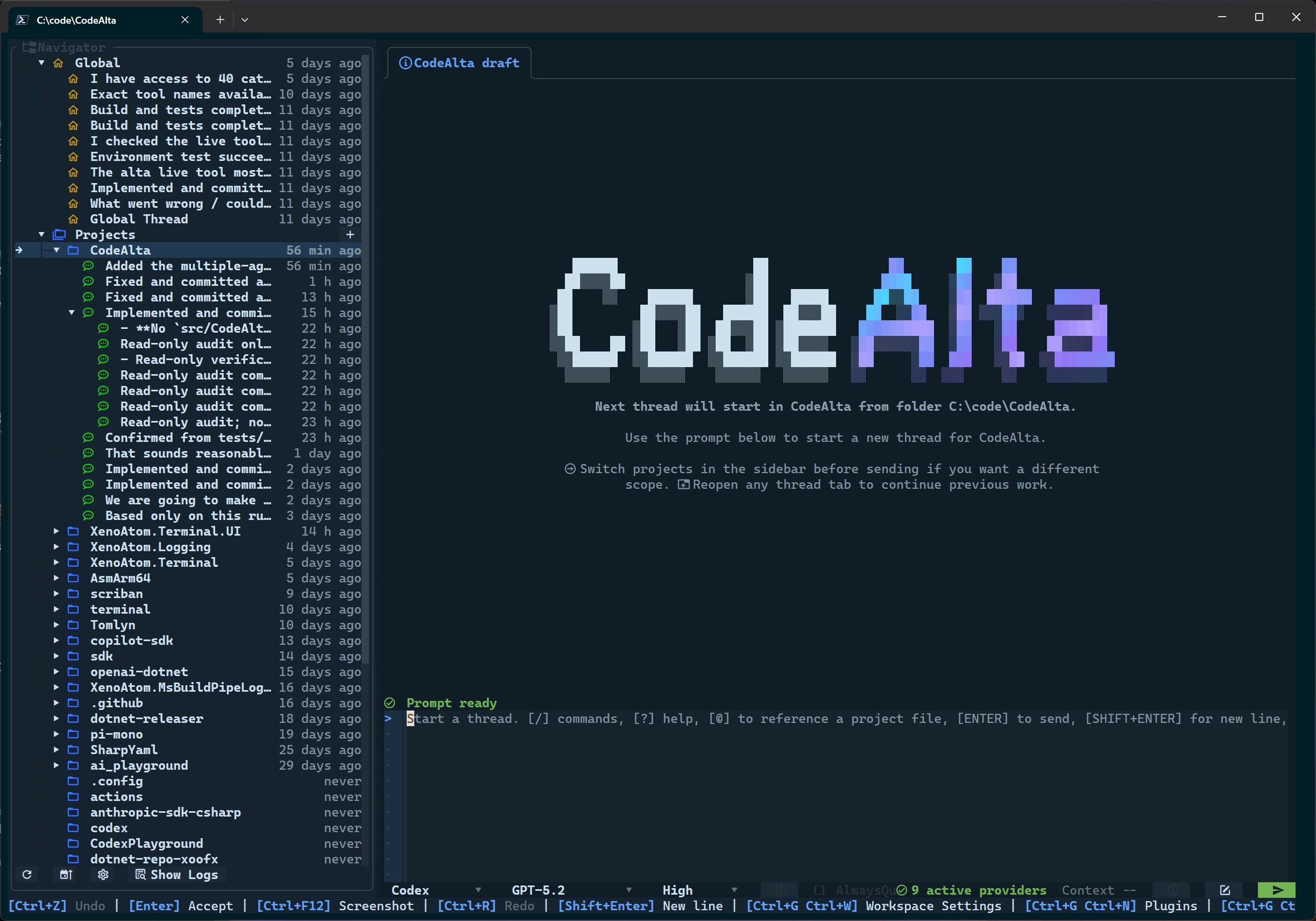
alta workspace keeps projects, sessions, timeline entries, prompt drafting, provider state, agent profile selection, and context usage in one terminal surface.Start here
- Getting Started: install the tool, launch it, configure the first provider, choose an agent prompt, and send a first prompt.
- Model Providers: understand provider configuration, credentials, models, reasoning settings, and provider testing.
- Agent Prompts: use Default and Plan modes, create global/project workflow prompts, and understand prompt override rules.
- Workspace and Dialogs: learn the main terminal screen, timeline, prompt editor, file picker, logs, settings, and management dialogs.
Workflow topics
- Sessions and Delegation: global vs project sessions, multiple-agent delegation, prompt queues, steering, compaction, notes, and reminders.
- Advanced Agent Workflows: how custom prompts can leverage CodeAlta live-tool capabilities for asks, notes, reminders, sessions, MCP, skills, model comparisons, and self-inspection.
- CodeAlta Principles: the efficient, transparent, keyboard-first, session-oriented, provider-agnostic, native .NET, error-aware, and extensible design principles.
Extensibility and integrations
- Plugins: built-in plugins, trusted source plugins, plugin management, safe mode, and developer authoring guidance.
- MCP plugin: configure MCP servers, manage policy, discover tools, and activate MCP tools for future agent turns.
- Troubleshooting: logs, broken configuration, plugin startup failures, login flows, shortcut issues, and single-instance behavior.
What is intentionally not here
This website is end-user documentation. Internal architecture notes, implementation specs, and development plans live in the repository doc/ folder instead of the public site.