GitHub Copilot layout
A project written for GitHub Copilot works in CodeAlta as it is. CodeAlta reads the files Copilot keeps in .github and in ~/.copilot, beside its own files in .alta and ~/.alta. Nothing has to be copied or converted.
What comes from the Copilot layout is marked Copilot, with the GitHub mark, wherever CodeAlta lists it.
| What | Where Copilot keeps it | In CodeAlta |
|---|---|---|
| Instructions of a project | .github/copilot-instructions.md |
Part of what every session of the project is told, like AGENTS.md. |
| Instructions for some files | .github/instructions/*.instructions.md |
The session is told which files each one is for, and reads it before it changes such a file. |
| Your instructions for every project | ~/.copilot/copilot-instructions.md |
Part of what every session is told. |
| Skills of a project | .github/skills/<name>/SKILL.md |
Listed in Settings > Skills, offered to the agent like any skill. |
| Your skills | ~/.copilot/skills/<name>/SKILL.md |
The same, for every project. |
| Custom agents of a project | .github/agents/<name>.agent.md |
An agent prompt you select for a session, listed in Settings > Agent prompts. |
| Your custom agents | ~/.copilot/agents/<name>.agent.md |
The same, for every project. |
| MCP servers of a project | .github/mcp.json |
Listed in Settings > MCP Servers, activated by a session like any server. |
| Your MCP servers | ~/.copilot/mcp-config.json |
The same, for every project. |
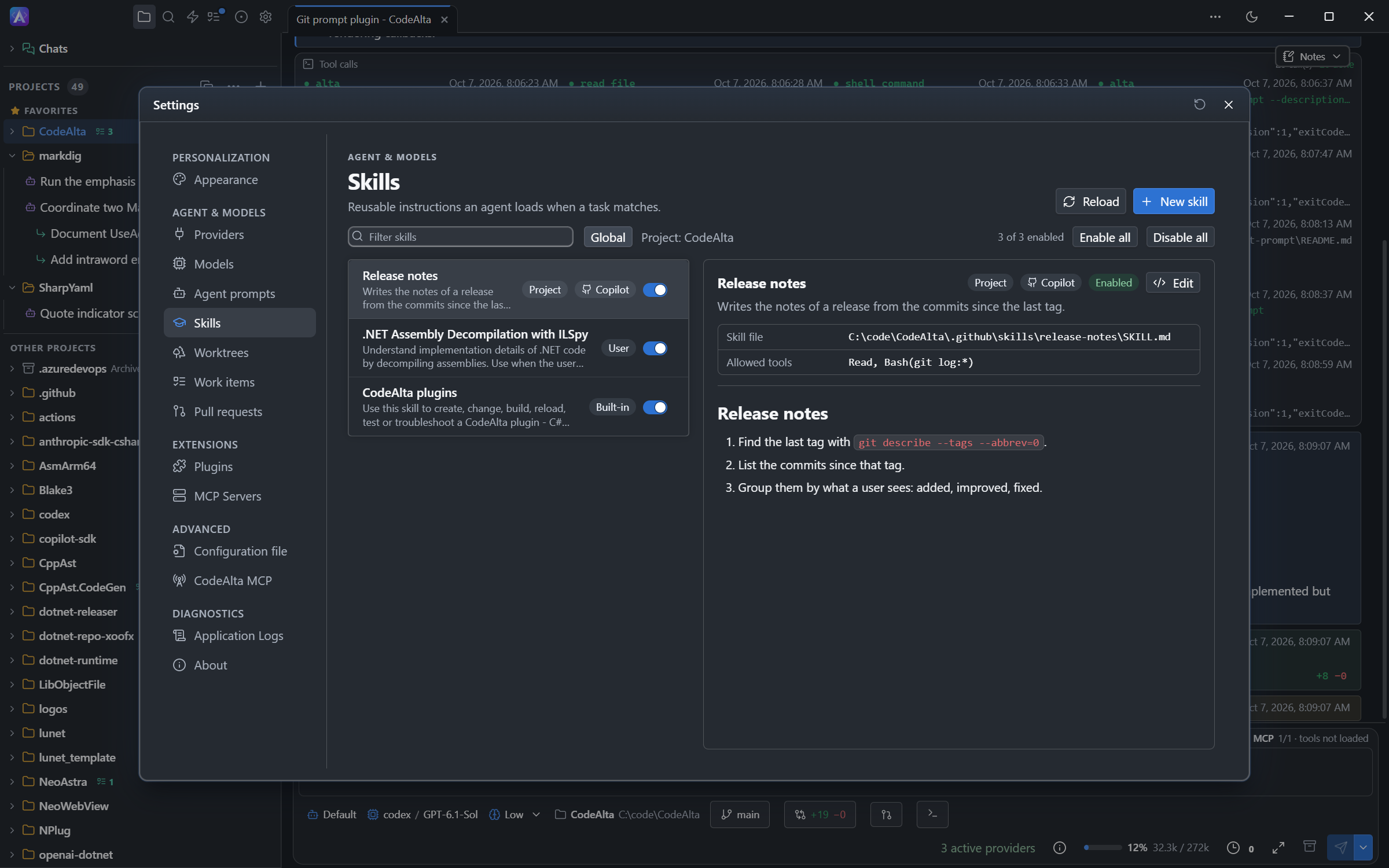
.github/skills in Settings > Skills, marked Copilot.Instructions
AGENTS.md, CLAUDE.md and .github/copilot-instructions.md often say the same thing. When a folder has several of them, CodeAlta reads the largest one.
An instructions file for some files names them with applyTo:
---
applyTo: "src/**/*.ts,src/**/*.tsx"
---
Use function components.
CodeAlta does not put the text of these files in every prompt. It tells the session which patterns each file is for, and the session reads the file before it changes a file that matches. A file marked excludeAgent: "coding-agent" is left out.
Skills
A Copilot skill is read as Copilot writes it: the fields argument-hint, user-invocable, disable-model-invocation and context are accepted, and allowed-tools can be a list. A skill with disable-model-invocation: true is not offered to the model.
When a project has a skill of the same name in .alta/skills or .agents/skills, that one is used and the Copilot one is shown as overridden.
You can enable, disable and edit a Copilot skill in Settings > Skills. See Workspace and Dialogs.
Custom agents
A custom agent of Copilot is an agent prompt in CodeAlta. The text of the file is the prompt, and its name and description are what the list shows:
---
name: Security reviewer
description: Reviews a change for security problems and reports them by severity
---
You review changes for security problems. You do not change files.
Select it in the prompt bar of a session, like any agent prompt. A session can also give it to a sub-agent.
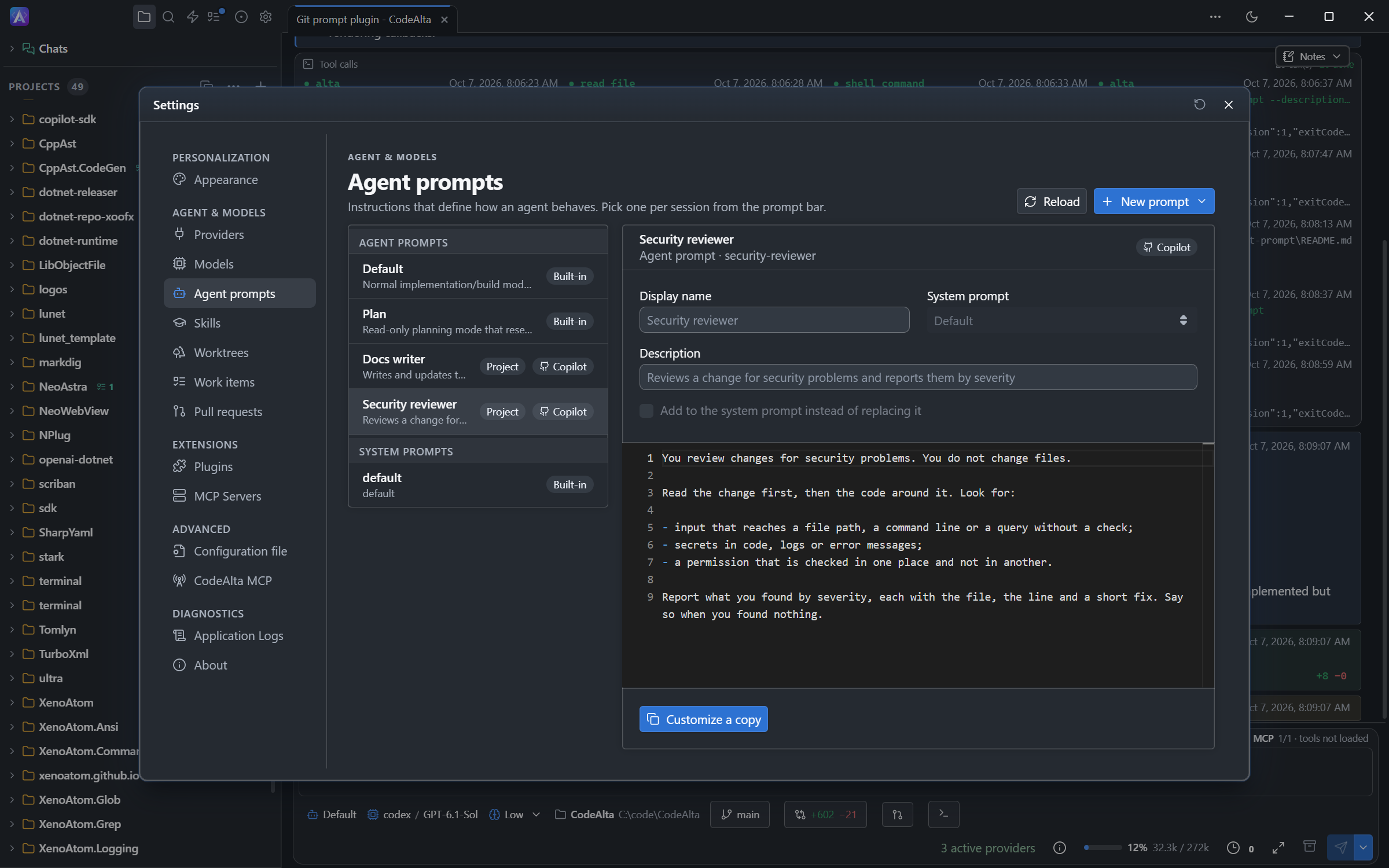
.github/agents in Settings > Agent prompts, marked Copilot.The session keeps its model and the tools of CodeAlta: the tools, model and handoffs of the file are for Copilot and are not used.
CodeAlta does not change these files. To change an agent for CodeAlta only, open it in Settings > Agent prompts and select Customize a copy: the copy is a prompt of yours with the same name, and it is the one that is used. A prompt of the same name in .alta/prompts/agents or ~/.alta/prompts/agents also comes first, and so do the built-in Default and Plan.
In CodeAlta TUI, a custom agent is in the prompt selector, marked Copilot.
MCP servers
The MCP servers GitHub Copilot CLI uses are servers of CodeAlta too: those of .github/mcp.json in a project, and yours in ~/.copilot/mcp-config.json.
{
  "mcpServers": {
    "github": {
      "type": "http",
      "url": "https://api.githubcopilot.com/mcp/",
      "tools": ["*"]
    },
    "playwright": {
      "type": "local",
      "command": "npx",
      "args": ["@playwright/mcp@latest"],
      "tools": ["*"]
    }
  }
}
They are listed in Settings > MCP Servers, marked Copilot. A session activates one and uses its tools like any MCP server.
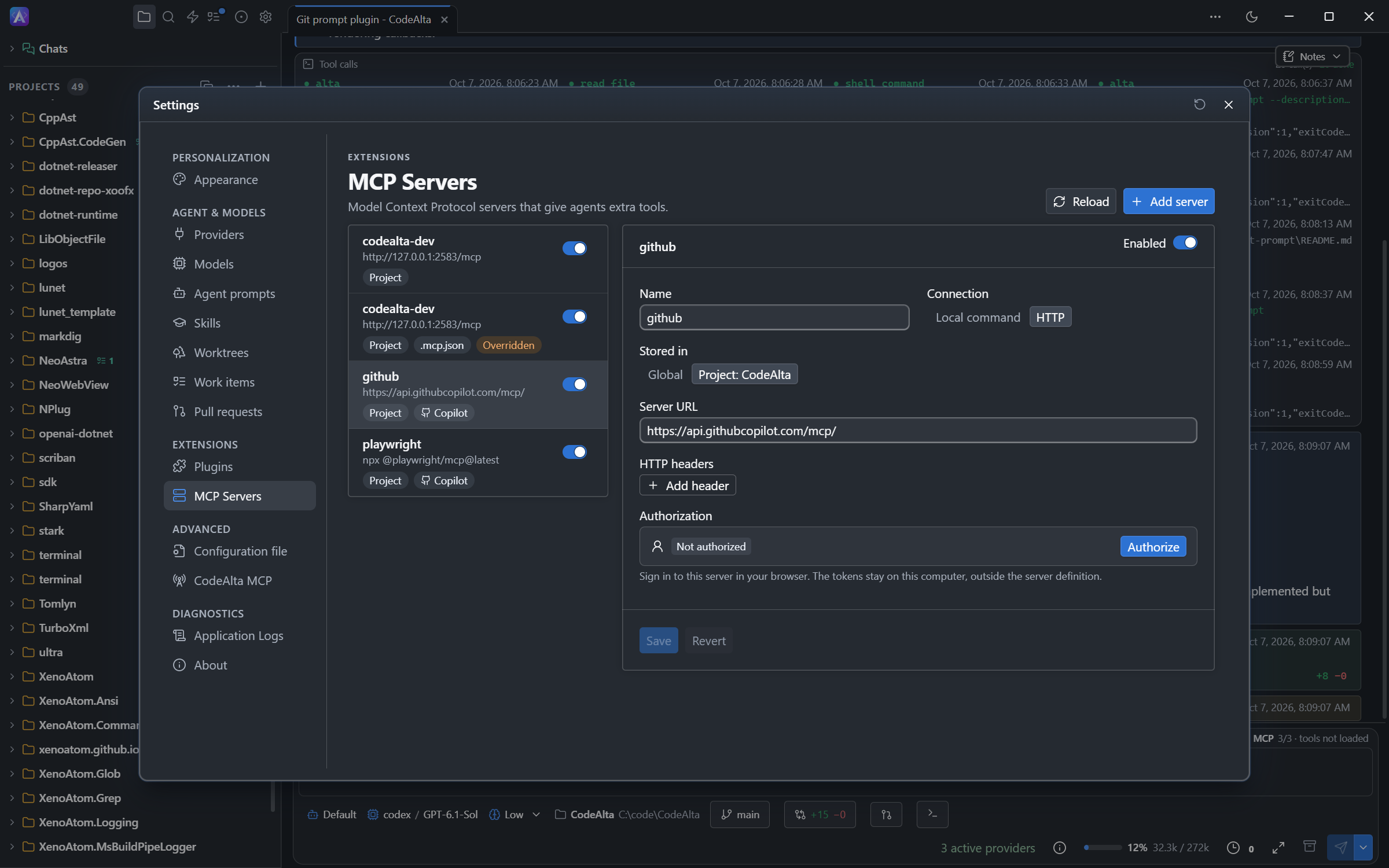
.github/mcp.json in Settings > MCP Servers, marked Copilot.You can enable, disable and authorize such a server. CodeAlta does not change the file: when you edit a server and save it, the server is written to .alta/mcp.json with the same name, and that one is used. A server of the same name in .alta/mcp.json or ~/.alta/mcp.json always comes first.
The tools list of the file is for Copilot. To limit the tools of a server in CodeAlta, use its policy.
CodeAlta reads the MCP files of other tools the same way: .mcp.json and .vscode/mcp.json of a project. See Servers of other tools.
In CodeAlta TUI, these servers are in the MCP Servers dialog, with the name of their file.
Prompt files
CodeAlta does not read the prompt files of Copilot (.github/prompts/*.prompt.md). Write a skill instead: Copilot reads skills too.