Reviews
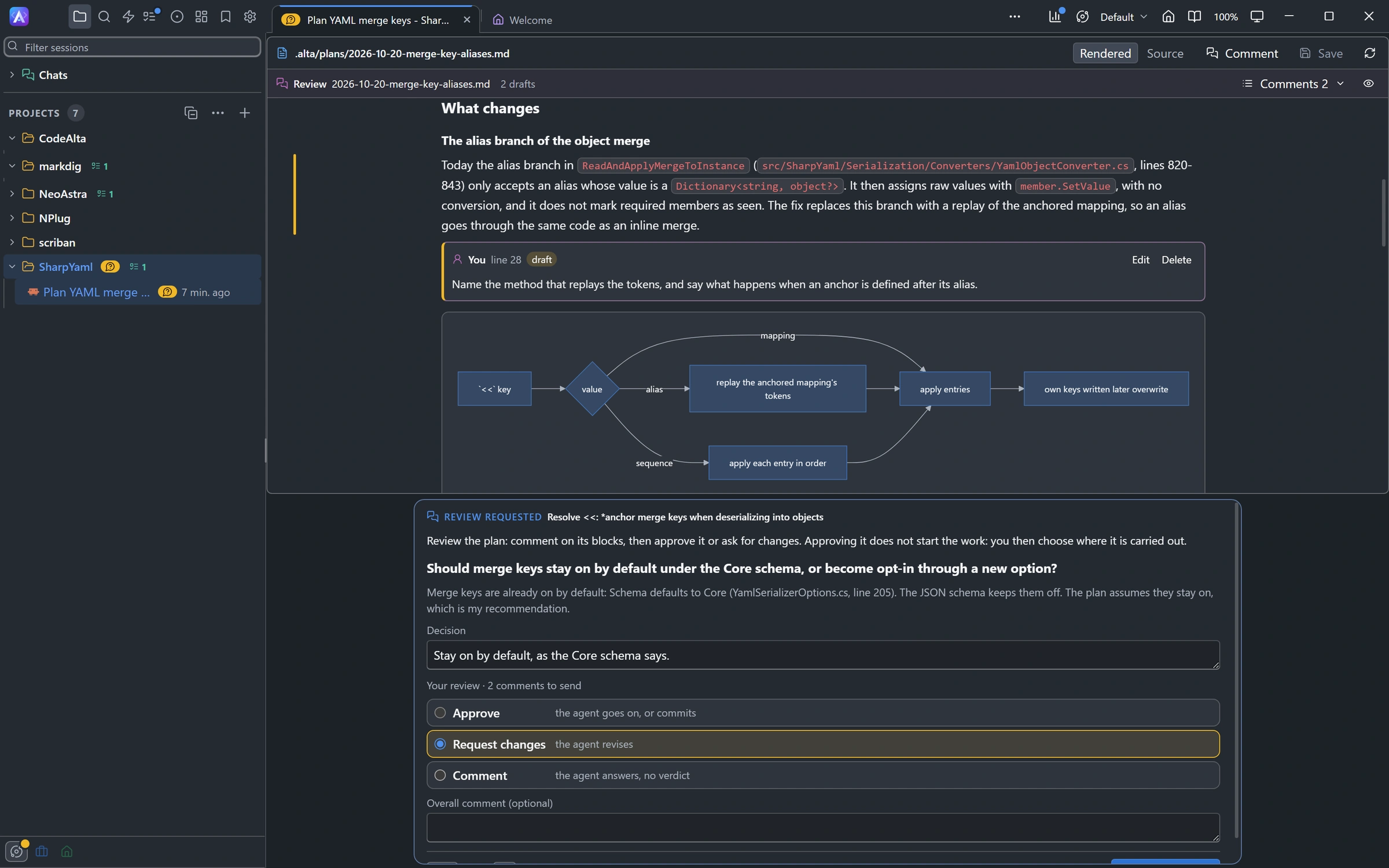
You review what an agent produced the way you review a pull request: you comment on lines, then send all your comments at once with a verdict. The agent answers each comment, revises its work, and asks for your next review. You can review:
- a plan or any Markdown file, on its rendered blocks;
- any text file, on its lines;
- the uncommitted changes of the project folder or of a worktree, or what a branch changed since its base.
Turn on Review before commit and the agents of your sessions wait for your approval before they commit.
Comment
- On a plan or a Markdown file. Hover a block and click + in its margin. Shift-click another block to comment on a range of blocks. Suggest edit proposes new text for the block, and Delete block proposes to remove it.
- On the source of a file. Click + in the margin of a line, or drag to select a range. In a diff you can comment on both sides: the old lines and the new ones.
- Suggest. In the comment editor, Suggest starts a suggestion with the text of the lines. Edit it into the text you want; the agent receives it exactly.
- Save or cancel.
Ctrl+Entersaves a comment andEsccancels it.
A comment is a draft until you submit the review, and drafts are kept when the app restarts. Each comment stays on its lines when the file changes. A comment whose lines are gone is shown as outdated, with the text it was about.
The review bar above the file counts the comments, lets you jump to each one, and has Submit review.
Review the changes
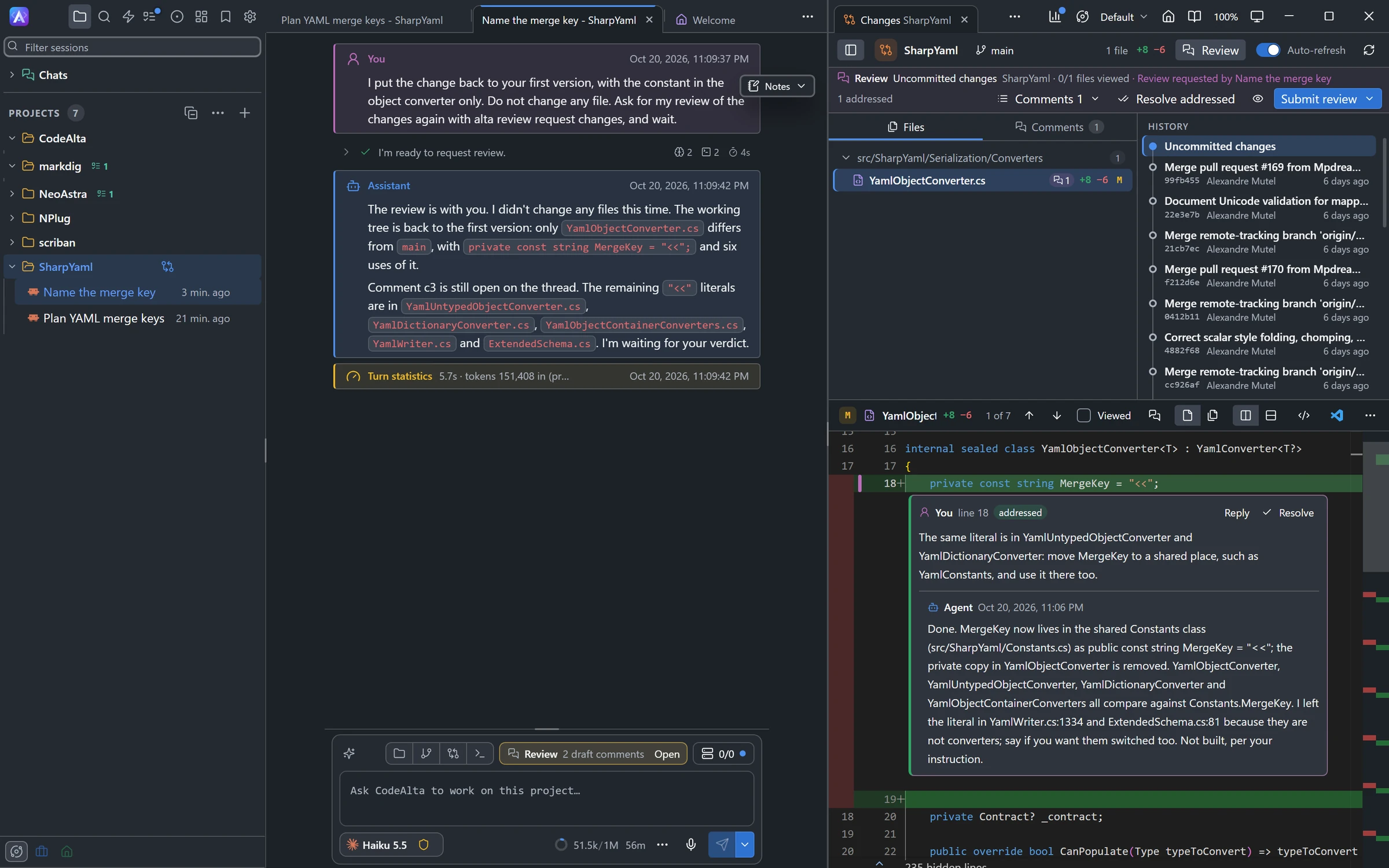
In CodeAlta Desktop you can review the changes of a project or of a worktree yourself, without waiting for an agent to ask. Open them in review mode in one of these ways:
- click Review in the header of the Changes tab. It reviews what the tab compares: the Uncommitted changes, or all the changes of the branch since its base. A commit of the history is not reviewed;
- choose Review changes in the menu of a session, or run
/review_changesfor the session in front: the Changes tab opens on the folder or the worktree the session works in, in review mode; - click Open beside Changes waiting for your review, in the status line above the prompt of a session (see Review before commit).
The Changes tab stays in review mode while comments are not resolved, or while an agent waits for your review. Click Review again to leave it.
In review mode:
- comment on the lines of each side of a diff, as above. Inline, the diff takes comments on its new lines only; the comments on old lines are listed above it, with Show side by side. A file that is new or deleted takes comments on its one side;
- Comment on the whole file, in the header of a file, comments on the file rather than on lines;
- Viewed, in the same header, marks a file you have read. The review bar counts them, as in 3/7 files viewed. When the file changes again, it is no longer marked;
- beside the files, Files lists the changed files with the number of comments of each, and Comments lists every comment, those on files that no longer have changes included.
Keys, outside a text field:
| Key | What it does |
|---|---|
c |
Comments the line of the caret. |
n / p |
Goes to the next or the previous comment, from file to file. |
] / [ |
Goes to the next or the previous file. |
v |
Marks the file Viewed, or not. |
The review bar says what is reviewed, in which folder or worktree, how many files you viewed and which session asked for the review. Submit review sends it to that session; otherwise you choose the session, as below.
Submit a review
Submit review sends every draft, and every comment still open from earlier rounds, as one message:
| Verdict | What the agent does |
|---|---|
| Approve | Goes on: commits the approved changes, or carries the plan out. |
| Request changes | Revises its work for your comments, then asks for your next review. |
| Comment | Answers your comments, without a verdict. |
You can add an overall comment. Choose the session that receives the review: a session that waits for this review gets it at once; another one gets it after its current work; New session starts one, in Plan mode for a plan. The message shows in the session as a compact card that you can expand.
Answers and resolving
The agent answers each comment. Its answer shows under the comment, and the comment is marked addressed. You decide when a comment is done:
- Resolve closes a comment; Reopen opens it again;
- Resolve addressed closes every comment the agent addressed;
- Approve closes the addressed comments of what you approve;
- a reply of yours, or an edit of your comment, asks the agent again.
When an agent asks for a review
An agent can ask for your review of a file or of its changes. In Plan mode it always does, for its plan:
- a file opens in place of the timeline, with its questions, if any, and the verdict where you write the prompt;
- changes show a card with Open review, which opens the Changes tab on its checkout.
When you submit, the review and your answers come back to the agent in one message.
Review before commit
When Review before commit is on, agents never commit by themselves. When their work is done, they ask for your review of the changes and stop. They commit once you approve, and only what you approved: a change made after your approval needs a new review. CodeAlta refuses a commit that was not approved, whatever the permission mode of the session.
- Settings > Sessions > Reviews > Review changes before commit turns it on for every session.
- In a session, the form of the Agent chip under the prompt has a Review before commit row: On, Off, or the setting, marked Default. You can change it at any time, also after the agent has started to change files. An eye on the chip shows that it is on.
- A new session can start with it: the form of a new session has the same row.
The agent is told when you change it, with its next prompt. Turning it on or off does not change the instructions of the session.
While it is on, the status line above the prompt says Changes waiting for your review when the session has uncommitted changes, no run is active and the agent has not asked for a review yet: click Open to review them. Whether it is on or not, the same line says Review and the number of draft comments you have not submitted on the folder or worktree of the session, as in 2 draft comments: Open takes you to them.
The setting applies in CodeAlta TUI too: its agents do not commit either, but since the TUI does not review changes, they leave the changes uncommitted and tell you. Review them in CodeAlta Desktop.
All your reviews
Work items lists the reviews beside the tasks and the plans: choose Reviews, run Reviews from the command palette, or click the eye of the review bar above a file or changes.
- To do holds what waits for you: a review an agent asked for, comments the agent answered, drafts you have not submitted.
- In progress holds what waits for the agent: comments you sent that it has not answered yet.
- A plan under review shows an eye in the list.
- Select a review to see its request, its comments and its last verdict. Open review opens it where you do it.
Reviews are kept by CodeAlta, outside your repository: they never show in the changes you review and are never committed.
Agents and alta review
Agents use alta review, in CodeAlta Desktop and CodeAlta TUI:
alta review request file .alta/plans/2026-10-20-x.md --stdin
alta review request changes
alta review request branch
alta review status
alta review list
alta review reply --stdin
You can ask a session in plain words: "Ask for my review of the changes before you commit them."
alta ask only asks questions: to have you review a file or changes, agents use alta review request, which can carry questions too. The TUI reviews a file with line comments and a verdict question; reviews of changes are a feature of the desktop app.