Plugins
CodeAlta plugins are trusted source packages and built-in extensions that can
extend the shell, prompt flow, agent runtime, timeline projections, and the
in-session alta live tool.
Plugins are for local automation you choose to run. Building a source plugin can execute SDK/NuGet/MSBuild logic, and loading it executes .NET code inside the CodeAlta process.
Install and enable only plugins you trust. Source plugins are built on your machine and loaded into the CodeAlta process, so a plugin has the same practical risk profile as running local code.
Plugin APIs are preview surface area before CodeAlta 1.0. Interfaces,
contribution points, service exposure, and behavior can change between 0.x
releases; some CodeAlta capabilities may not be exposed yet, and some exposed
capabilities may still be incomplete or incorrectly shaped.
Extensibility layers
Plugins are one part of CodeAlta extensibility, not the first tool for every workflow.
| Need | Prefer |
|---|---|
| A repeatable session workflow or mode | Agent prompts |
| Agent coordination with sessions, asks, notes, reminders, prompts, providers, or skills | Advanced agent workflows |
| External tools from a standard protocol | MCP servers |
| Reusable context that does not execute code | Skills from the workspace skills dialog |
| Host UI, runtime, prompt, timeline, resource, or custom live-tool command extension | Trusted source plugins |
Use plugins when you need trusted .NET code loaded into CodeAlta. If a workflow can be expressed as an agent prompt, MCP configuration, or skill package, that path is usually easier to inspect and review.
Built-in plugins
CodeAlta ships trusted built-in plugins through the same plugin runtime used for source plugins:
| Plugin | What it adds |
|---|---|
| GitHub | # issue lookup in GitHub repositories and an optional gh agent tool when the GitHub CLI is installed. |
| MCP | Model Context Protocol server configuration, alta mcp commands, session-activated MCP agent tools, and the MCP Servers dialog. |
| Statistics | Transient per-turn/session statistics timeline cards and a statistics estimate live-tool command. |
Manage plugins
Open plugin management with Ctrl+G Ctrl+N, /plugins, or /plugin.
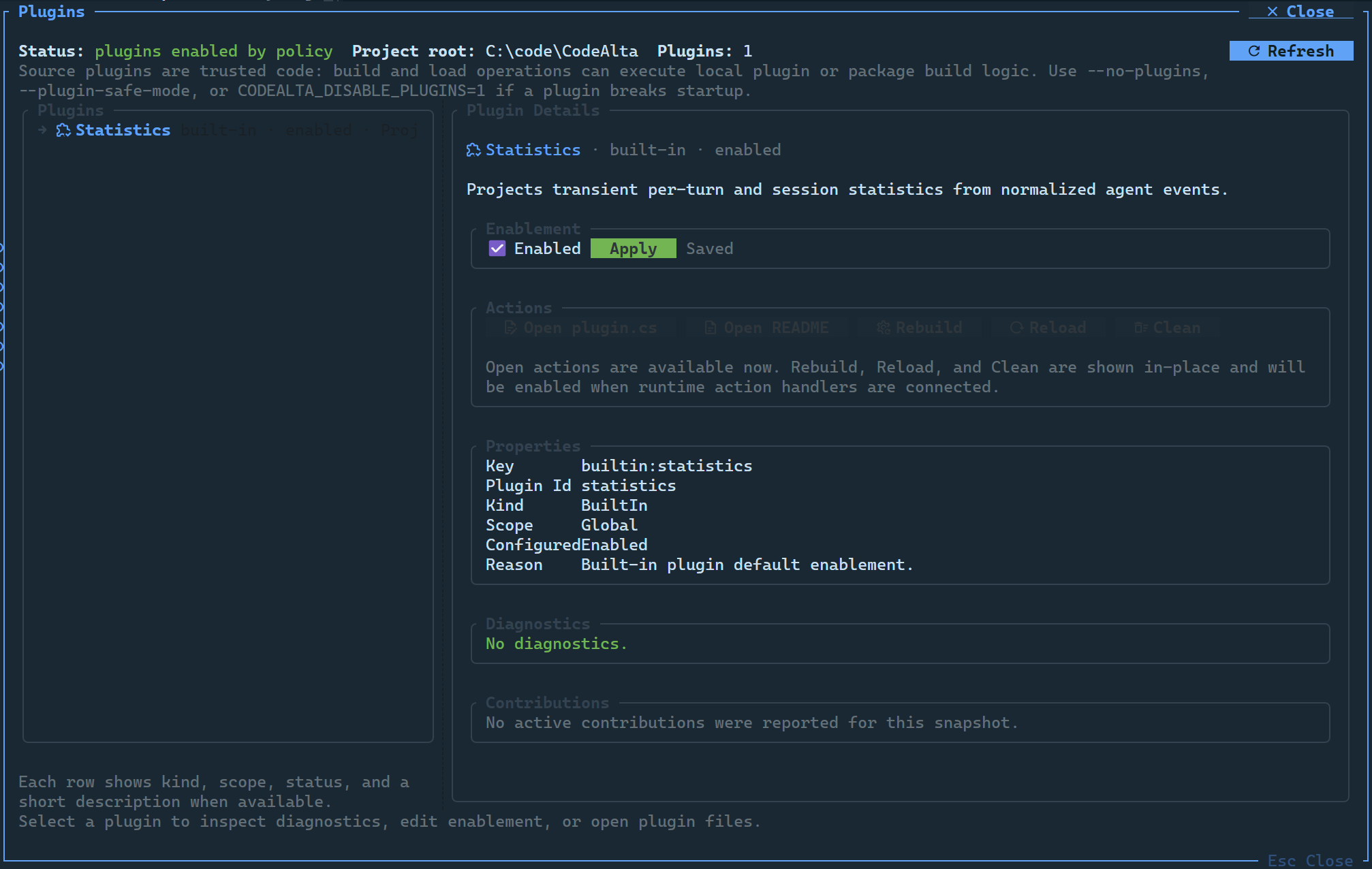
The dialog shows:
- plugin scope and state;
- diagnostics from discovery, config, build, load, activation, contributions, callbacks, source changes, and unload;
- contribution summaries;
- unknown config entries;
- source and README open actions when available.
You can also use a headless status summary:
alta --plugins-status
Source plugins
Dynamic source plugins are discovered from:
~/.alta/plugins/<package-id>/plugin.csfor global plugins;<project>/.alta/plugins/<package-id>/plugin.csfor project-scoped plugins.
Project-scoped plugins apply only to the matching project. Global plugins apply
across workspaces. For source-plugin layout, examples, contribution points,
resource roots, prompt editor attachments, alta command integration, and safe
authoring guidance, see Plugin development.
Disable or bypass plugins
Source plugins and built-in plugins are enabled by default when discovered. Disable a plugin in TOML when you do not want it built or loaded:
[plugins.HelloWorld]
enabled = false
Built-in plugin IDs are lowercase, for example:
[plugins.github]
enabled = false

[plugins.mcp]
enabled = false

[plugins.statistics]
enabled = false
When a plugin is broken, start CodeAlta with a bypass:
alta --no-plugins
alta --plugin-safe-mode
Or set:
CODEALTA_DISABLE_PLUGINS=1
These bypasses are recognized before plugin-contributed command-line options.