Git plugin
The built-in Git plugin connects CodeAlta to the service that hosts your repository. It works with GitHub, GitLab and Azure DevOps. It adds issue lookup while you write prompts, and it gives agents the command-line tool of your provider when that tool is installed.
| Provider | Detected from the git remote | # lists |
Agent tool |
|---|---|---|---|
| GitHub | github.com |
Issues | gh |
| GitLab | gitlab.com and self-managed instances |
Issues | glab |
| Azure DevOps | dev.azure.com and <organization>.visualstudio.com |
Work items of the project | az |
CodeAlta reads the remotes of the project folder and prefers origin. HTTPS and SSH remotes are both recognized.
Install the command-line tool of your provider and sign in once: GitHub CLI (gh auth login), GitLab CLI (glab auth login) or Azure CLI (az login). CodeAlta then uses the same sign-in for issue lookup, and agents can work with issues, pull requests and pipelines through the official tool.
Issue picker
Type # in the prompt editor to search the issues of the project's repository. The picker shows the most recently updated issues first. Type a number or some words to filter, and press Enter to insert a Markdown link to the selected issue:
[#18](https://github.com/org/repo/issues/18)
[#18](https://gitlab.com/group/project/-/issues/18)
[#18](https://dev.azure.com/organization/project/_workitems/edit/18)
Closed issues are listed too. Use Include closed (Ctrl+I) to hide them. Pull requests and merge requests are not listed.
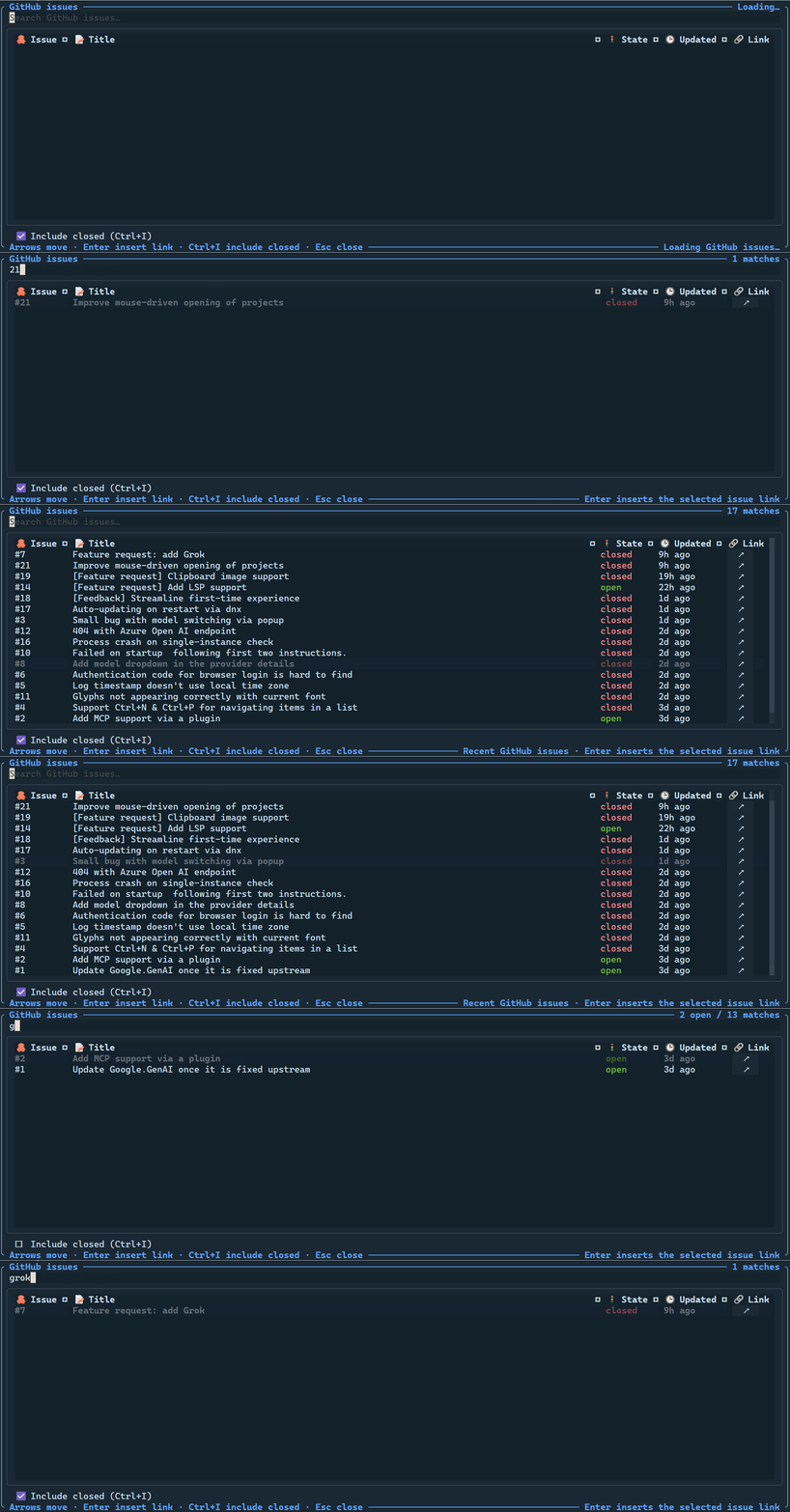
# issue picker in CodeAlta TUI, on a GitHub repository. The selected issue is inserted as a Markdown link.On Azure DevOps, the picker lists the work items of the project that owns the repository, whatever their type, and the search matches their titles.
Sign-in for issue lookup
CodeAlta looks for credentials in this order and sends them only to the provider they belong to:
| Provider | Environment variable | Command-line tool |
|---|---|---|
| GitHub | GITHUB_TOKEN, then GH_TOKEN |
gh auth token |
| GitLab | GITLAB_TOKEN, then GITLAB_ACCESS_TOKEN |
glab config get token --host <host> |
| Azure DevOps | AZURE_DEVOPS_EXT_PAT |
az account get-access-token |
Without credentials, lookups are anonymous. This works for public GitHub and GitLab projects, with lower rate limits. Private projects and Azure DevOps need a sign-in.
Self-managed GitLab
A GitLab instance is recognized when its host name starts with gitlab., for example gitlab.example.com. For another host name, set GITLAB_HOST to that host, as you do for glab:
export GITLAB_HOST=code.example.com
The GITLAB_TOKEN and GITLAB_ACCESS_TOKEN variables are used for GITLAB_HOST, or for gitlab.com when it is not set. For any other instance, sign in with glab auth login --hostname <host>.
Agent tools
When gh, glab or az is installed, the plugin gives agents a tool of the same name. Each tool accepts an arguments array and passes each item directly to the program, not through a shell command string.
For example, an agent can call gh with arguments equivalent to:
issue view 18 --json title,state,url
or glab with:
mr list --assignee=@me
The az tool only runs the Azure DevOps commands of the Azure CLI: az boards, az repos, az pipelines, az artifacts and az devops. These commands come from the azure-devops extension (az extension add --name azure-devops). Other Azure commands are refused.
The optional workingDirectory argument defaults to the selected project and must remain inside the selected project when one is active. The optional timeout defaults to 60 seconds and is capped at 300 seconds.
The tools are available to sessions that use CodeAlta-managed model providers.
Disable it
Disable the Git plugin when you do not want the provider tools or the issue picker of CodeAlta TUI:
[plugins.git]
enabled = false
In CodeAlta Desktop the # issue picker is part of the prompt editor and stays available.
This plugin was named github in earlier versions. If your config.toml has a [plugins.github] table, rename it to [plugins.git].