GitHub plugin
The built-in GitHub plugin adds issue lookup while you write prompts and exposes the GitHub CLI as an agent tool when gh is installed.
Install the GitHub CLI and run gh auth login for
the smoothest GitHub workflow. When gh is available, CodeAlta can let agents
perform GitHub operations through the official CLI instead of a broad MCP
server toolset.
What it contributes
- Prompt-editor attachment for GitHub issue references.
- Placeholder guidance:
[#] to reference a GitHub issuewhen the selected project has a GitHub remote. - Optional
ghagent tool for repository, issue, pull request, release, and workflow operations.
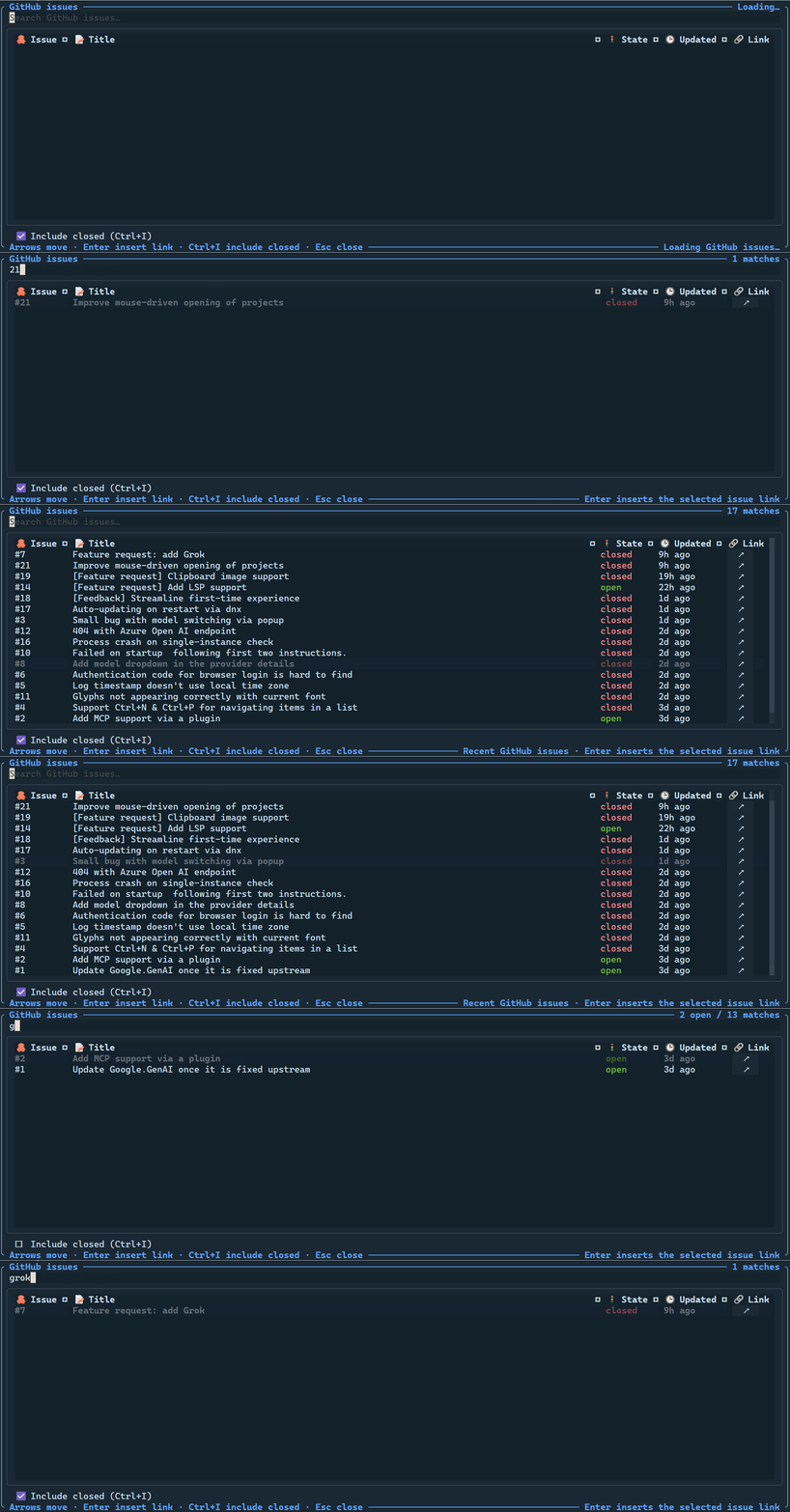
# issue picker UI and inserts selected issues as Markdown links.Issue picker
In a project whose Git remotes point at github.com, type # in the prompt editor to search issues from that repository. Selecting an issue inserts a Markdown link such as:
[#18](https://github.com/org/repo/issues/18)
If you set GITHUB_TOKEN or GH_TOKEN, CodeAlta uses it for GitHub REST API calls. Without a token, lookups use unauthenticated API access and can hit GitHub's lower rate limits.
GitHub CLI agent tool
When the gh executable is available, the plugin contributes a CodeAlta-managed gh agent tool. Install it from cli.github.com and authenticate with gh auth login. The tool accepts an arguments array and passes each item directly to ProcessStartInfo.ArgumentList, not through a shell command string.
For example, an agent can call gh with arguments equivalent to:
issue view 18 --json title,state,url
The optional workingDirectory argument defaults to the selected project and must remain inside the selected project when one is active. The optional timeout defaults to 60 seconds and is capped at 300 seconds.
Disable it
Disable the GitHub plugin when you do not want issue lookup or the optional gh tool:
[plugins.github]
enabled = false