   ██████                  ██                ██       ██    ██
  ██░░░░██                ░██               ████     ░██   ░██
 ██    ░░    ██████       ░██   █████      ██░░██    ░██  ██████   ██████
░██         ██░░░░██   ██████  ██░░░██    ██  ░░██   ░██ ░░░██░   ░░░░░░██
░██        ░██   ░██  ██░░░██ ░███████   ██████████  ░██   ░██     ███████
░░██    ██ ░██   ░██ ░██  ░██ ░██░░░░   ░██░░░░░░██  ░██   ░██    ██░░░░██
 ░░██████  ░░██████  ░░██████ ░░██████  ░██     ░██  ███   ░░██  ░░████████
  ░░░░░░    ░░░░░░    ░░░░░░   ░░░░░░   ░░      ░░  ░░░     ░░    ░░░░░░░░
A desktop workspace for AI coding agents
CodeAlta Desktop runs coding agents on your local projects: sessions in tabs you can split, a code editor, terminals and git changes in one window, with the model providers, agent prompts, MCP tools and plugins you choose.
dotnet tool install -g CodeAlta
alta
For Windows, macOS and Linux. Requires .NET 10.
dotnet tool install -g CodeAlta.Tui
altatuiThe complete CodeAlta experience
Sessions, code, terminals and changes side by side, and every setting in one window.
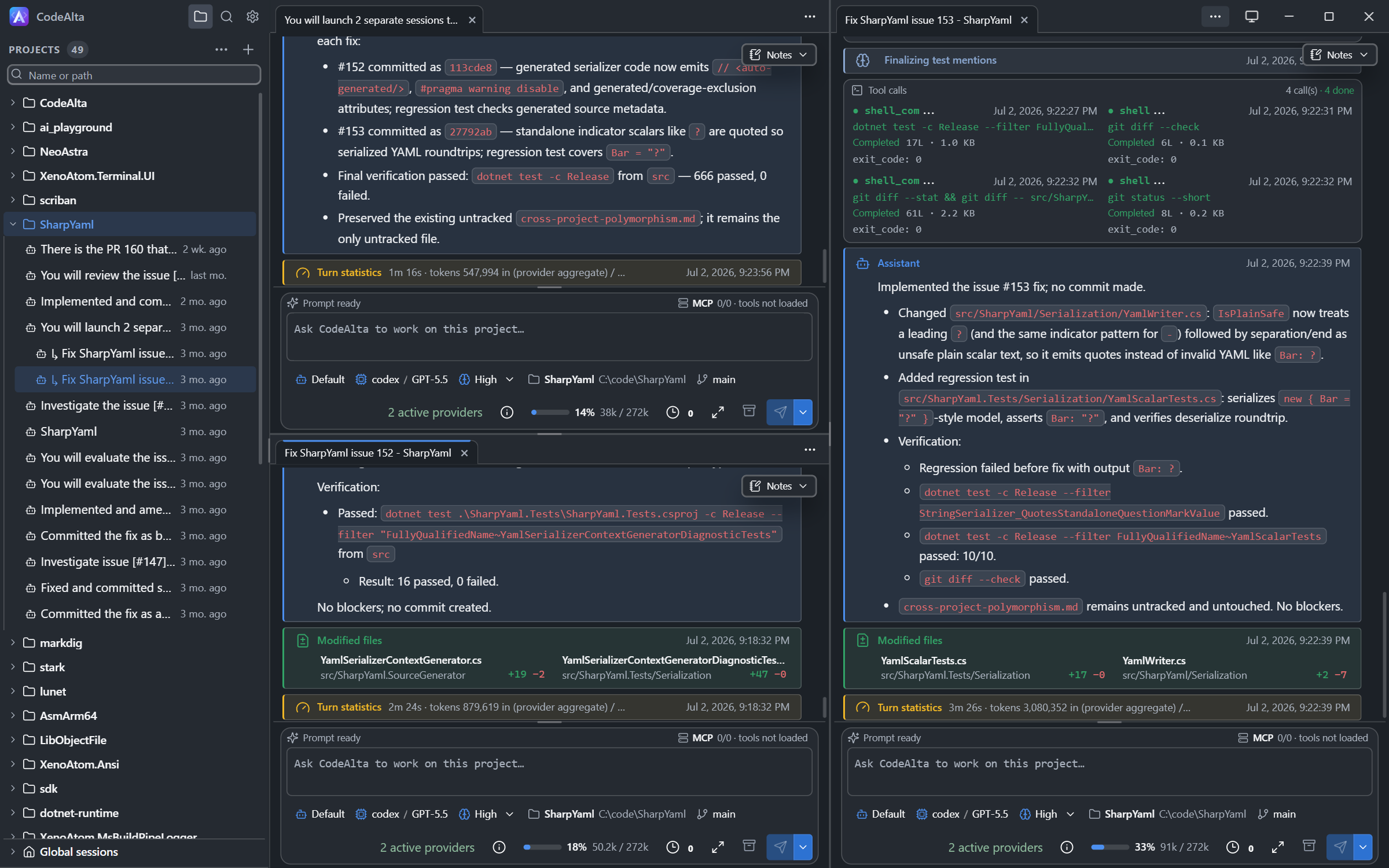
Arrange your workspace
Drag a session tab to an edge to split the window side by side or stacked. Tabs from different projects stay open together.
Code, terminals and changes
Each project has a code editor, terminals that agents can use too, and a Changes tab with the diff of every file.
Watch the agent work
Open a tool call to follow a command in a live terminal, or to read a file or a diff in the colors of its language.
Automations and worktrees
Run a prompt every morning or on a new issue, and give each session its own branch in its own folder.
Agents that see the window
An agent can take a screenshot of CodeAlta, click and type, and write a plugin that the app reloads while it runs.
One Settings window
Providers, models, agent prompts, skills, plugins, MCP servers, logs and appearance are pages of the same window.
Start with CodeAlta Desktop
CodeAlta also has a terminal UI. Both apps run the same agents on the same ~/.alta profile, so a session started in one continues in the other. The desktop app does much more.
| Desktop | TUI | |
|---|---|---|
| Providers, sessions, agent prompts, skills, MCP servers, plugins | Yes | Yes |
| Delegated agents, notes, reminders, asks | Yes | Yes |
| Sessions side by side, in panes you split | Yes | No |
| Code editor with the files of the project and a search | Yes | Partly One file at a time |
| Git changes: diffs, commits, branches | Yes | No |
| Terminals, which agents can use too | Yes | No |
| Automations: on a schedule, on a new issue or pull request | Yes | No |
| Worktrees created and removed from the app | Yes | No |
| Agents that see and drive the app, and an MCP server | Yes | No |
| Plugins written and reloaded while the app runs | Yes | No |
| Light and dark themes, 13 color schemes | Yes | Partly Terminal themes |
| Runs in a terminal | No | Yes |
Built for real work on real repositories
Use the switch on a screenshot to see the same screen in the Desktop app or in the TUI.
Run several agents at once
A session can start child sessions for bounded tasks, wait for their reports, review the diffs and commit. Parent and children stay visible in the sidebar while they run.
Sessions and delegation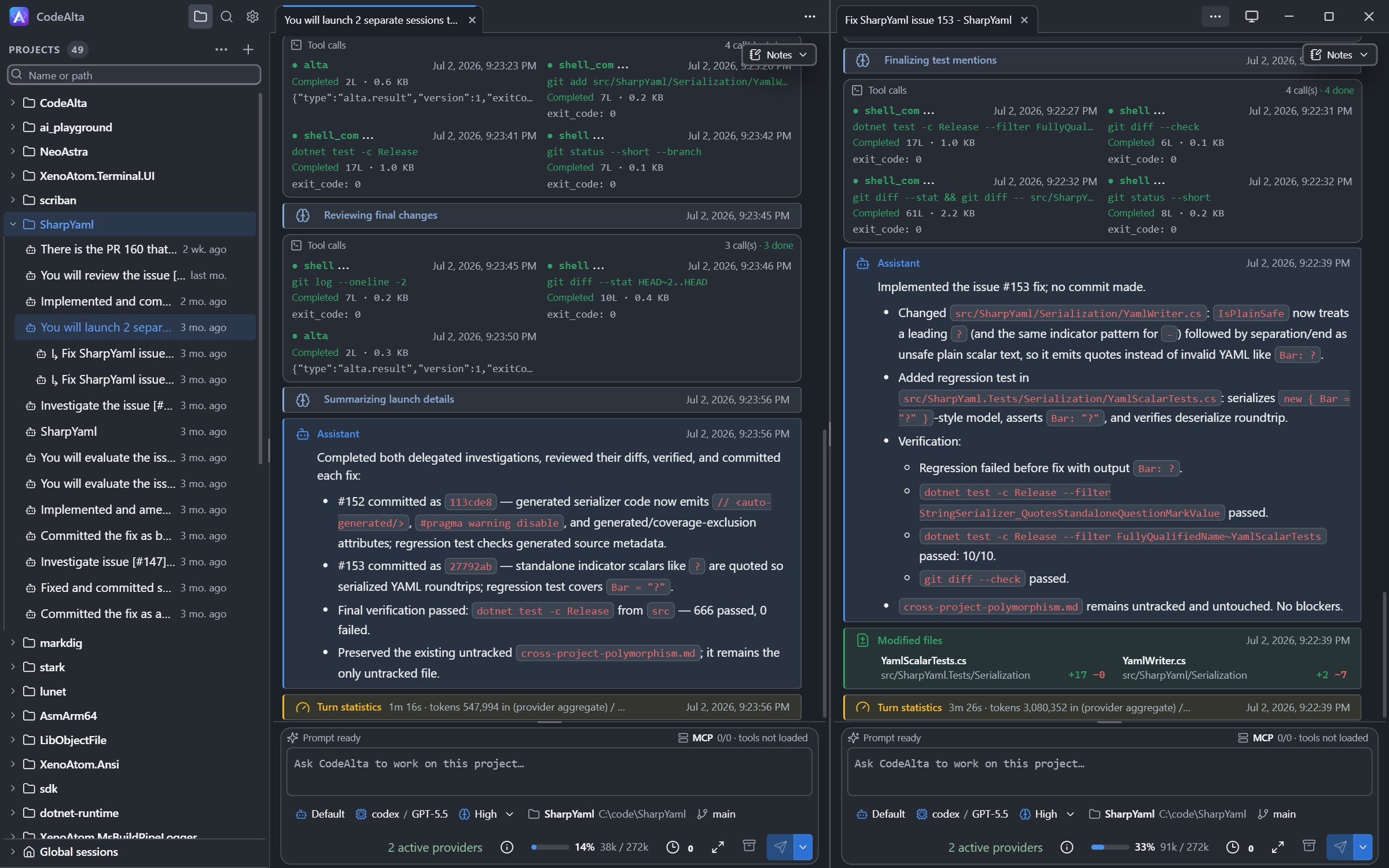
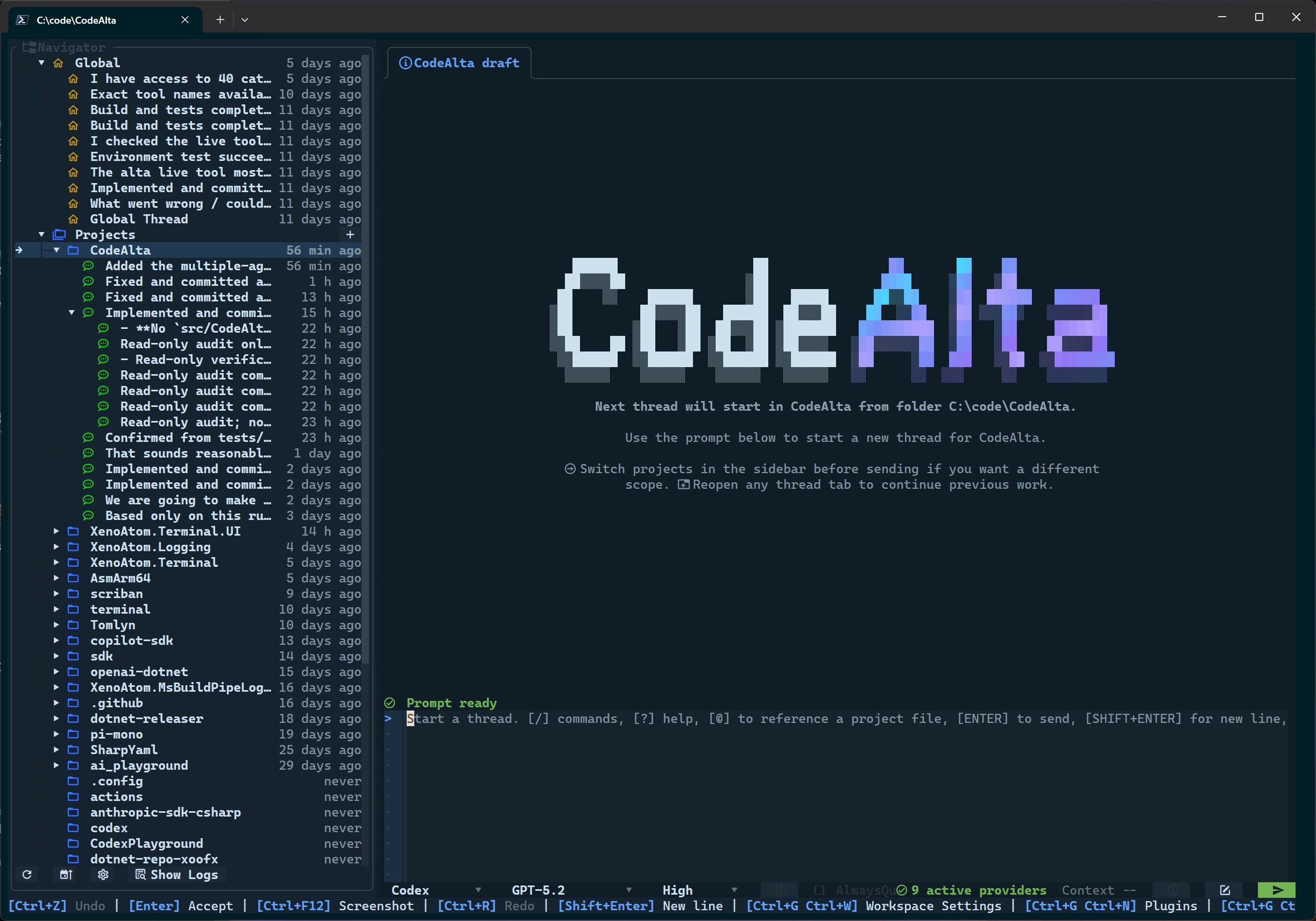
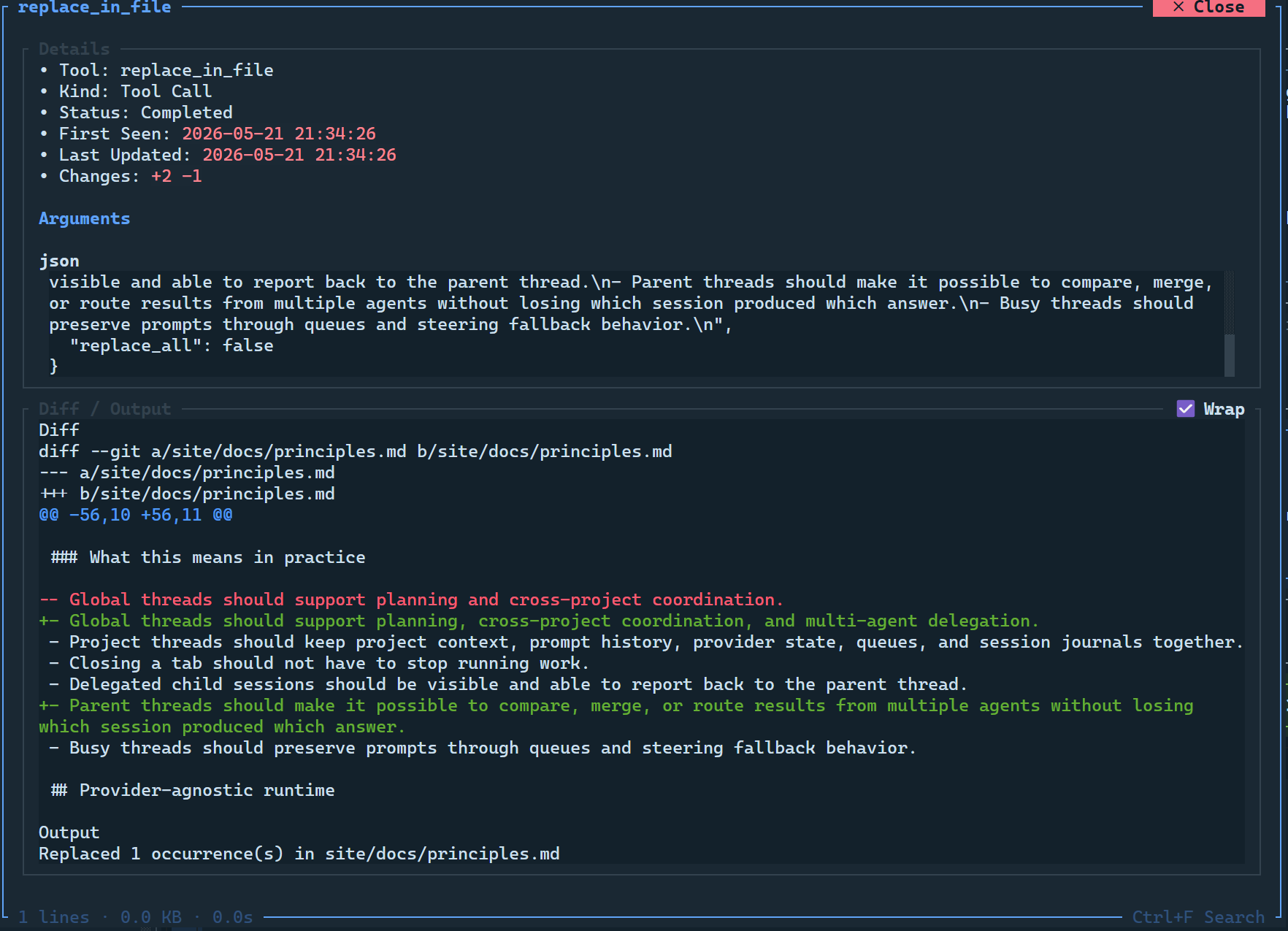
See what the agent does
Tool calls are grouped in the timeline with their status and what they wrote. Open one to follow a command in a terminal while it runs, or to read the file or the diff it worked on.
The timeline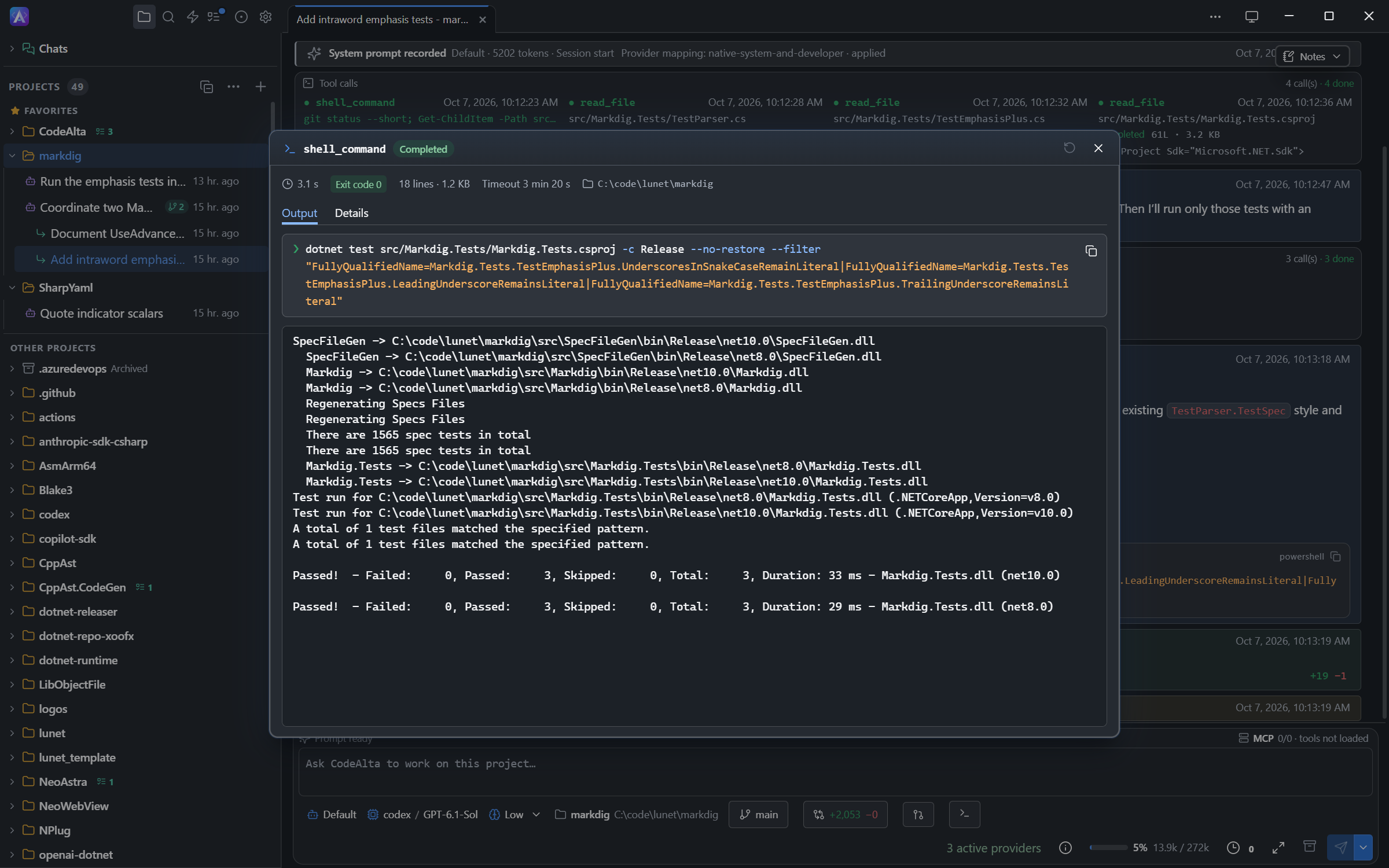
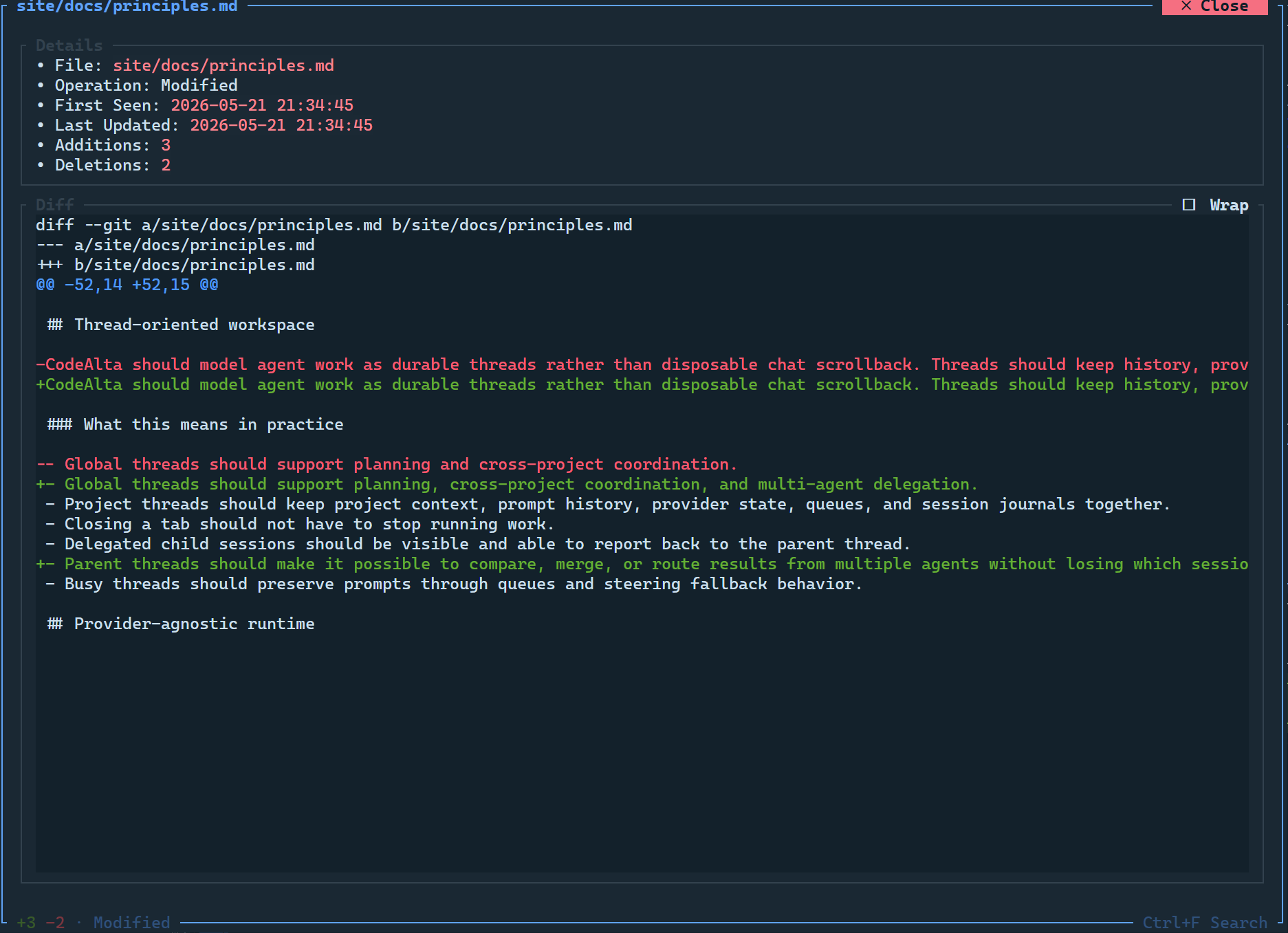
Review every change
Each turn ends with the list of modified files and their added and removed lines. Open a file to read its diff before you accept the work.
Modified files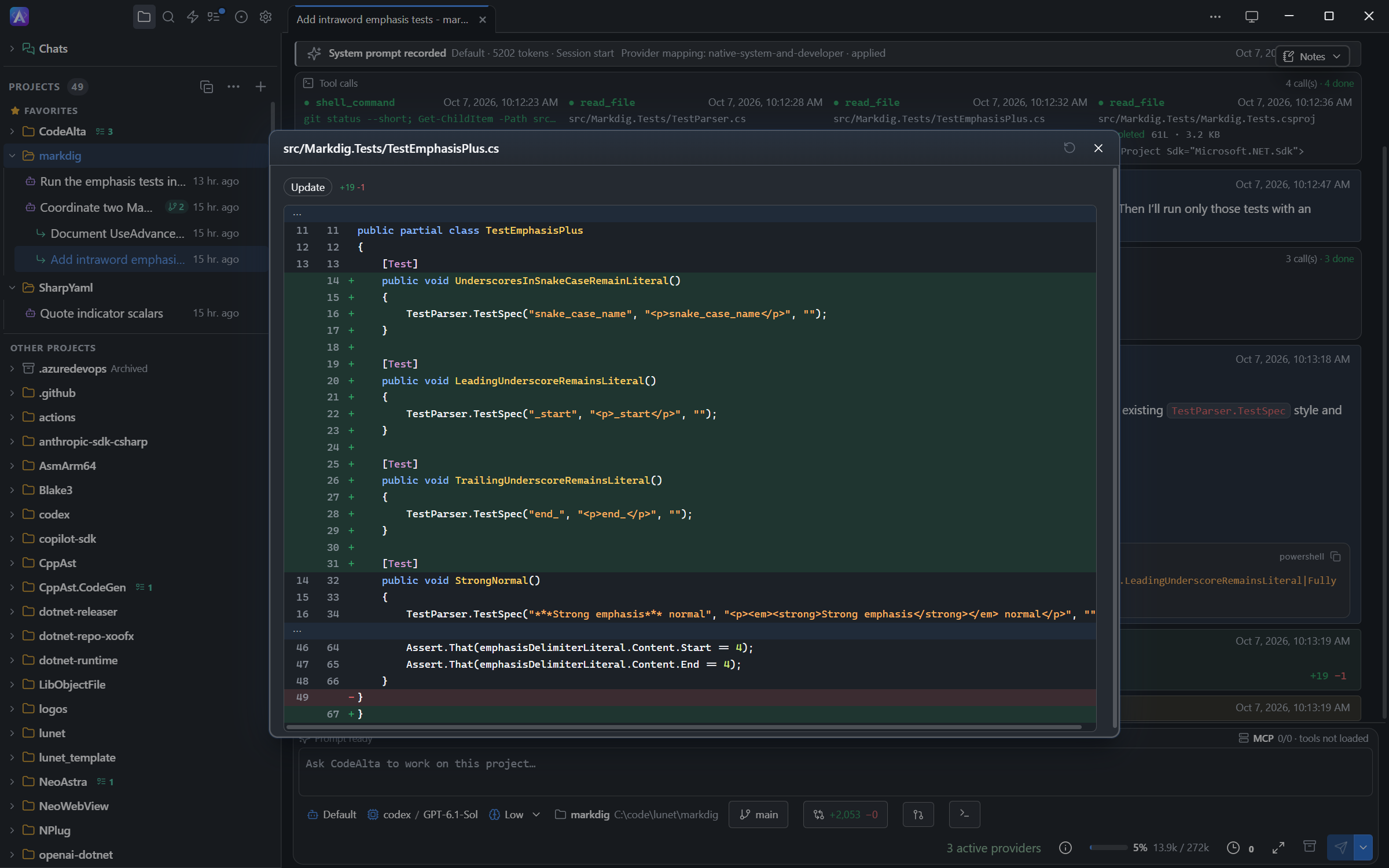
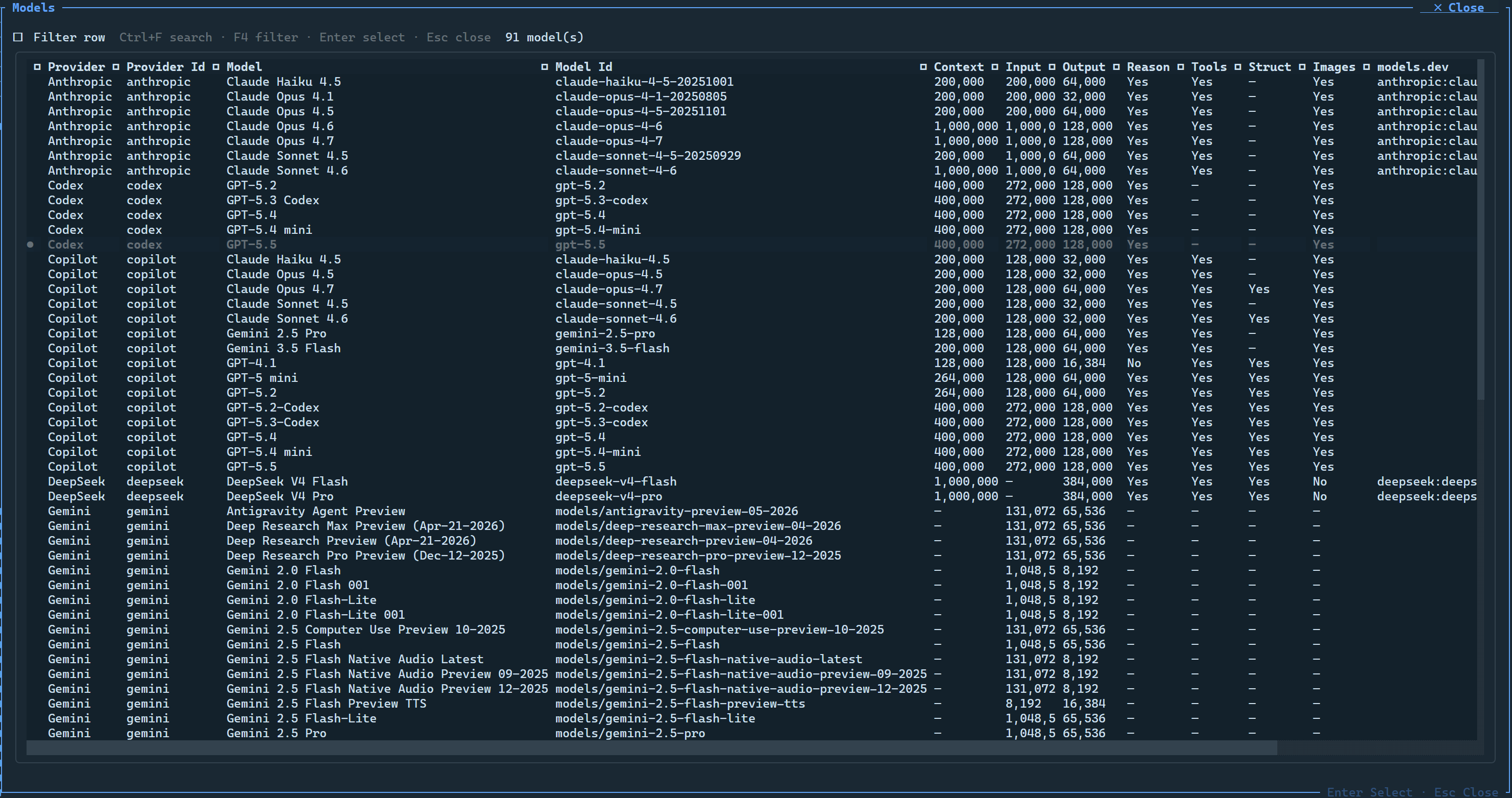
Use the models you already have
Sign in with a ChatGPT or GitHub Copilot subscription, or add API keys for OpenAI, Anthropic, Google, Mistral, xAI, Azure OpenAI and OpenAI-compatible servers. Choose the provider, model and reasoning effort per session.
Model providers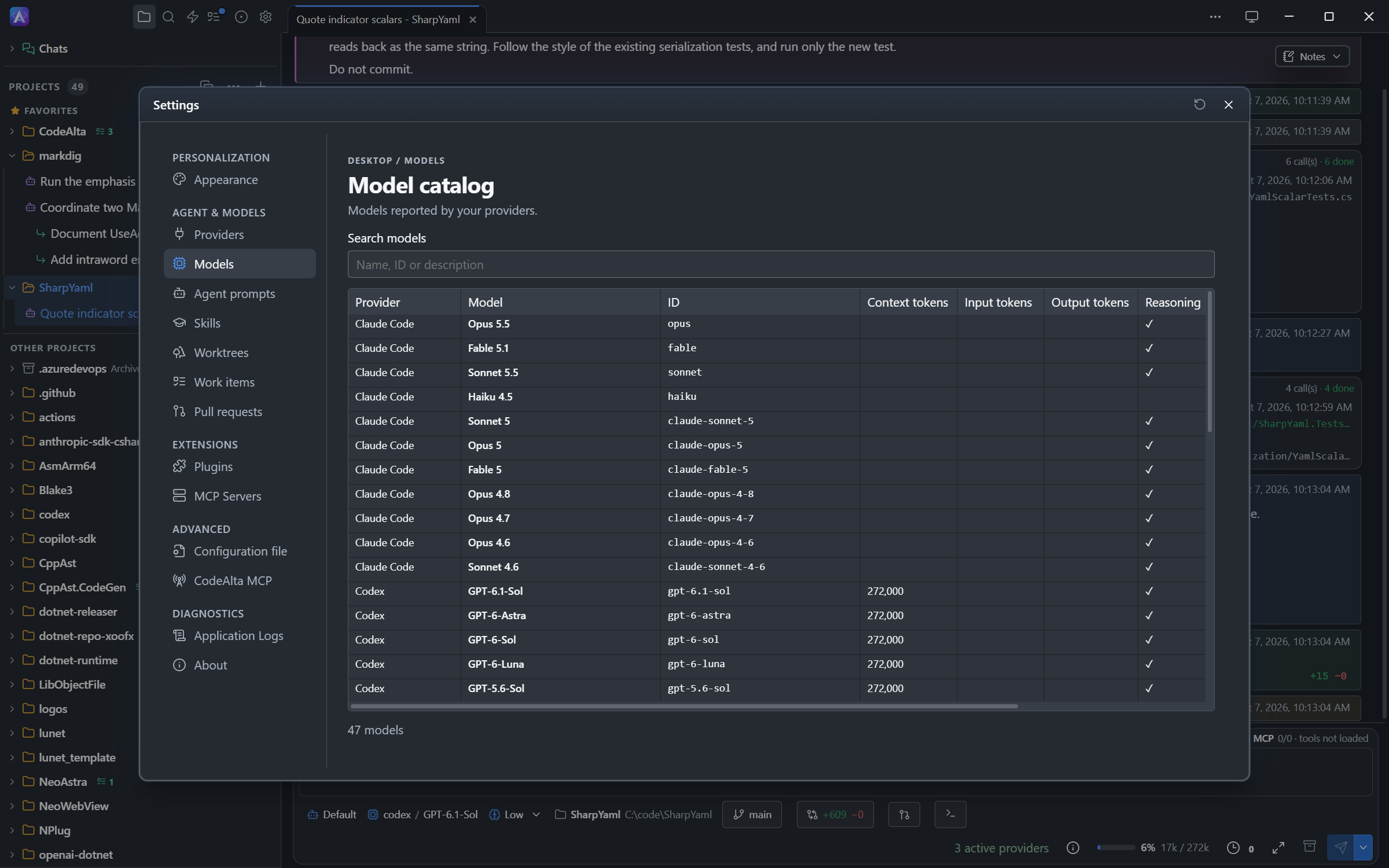
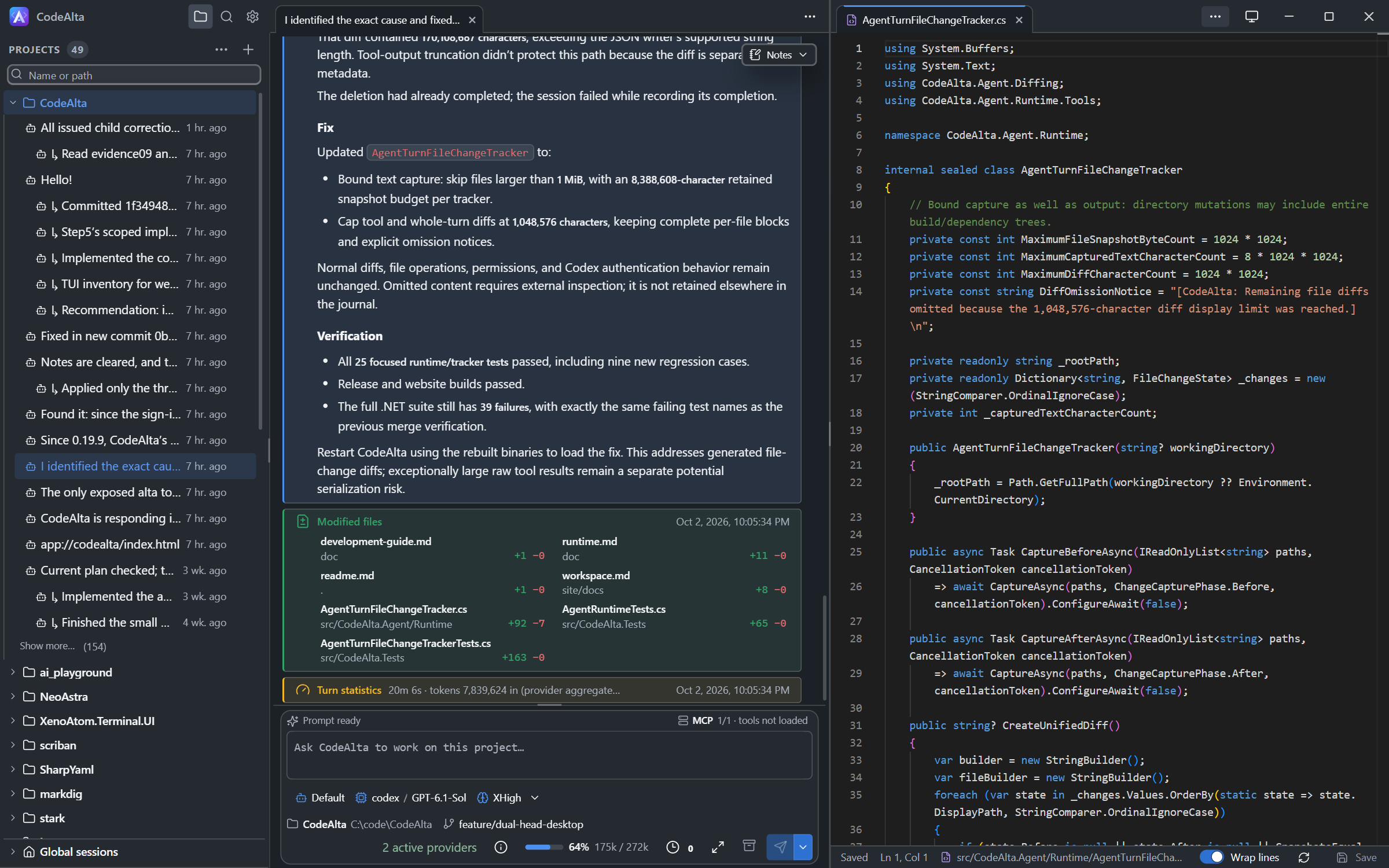
Edit files next to the session
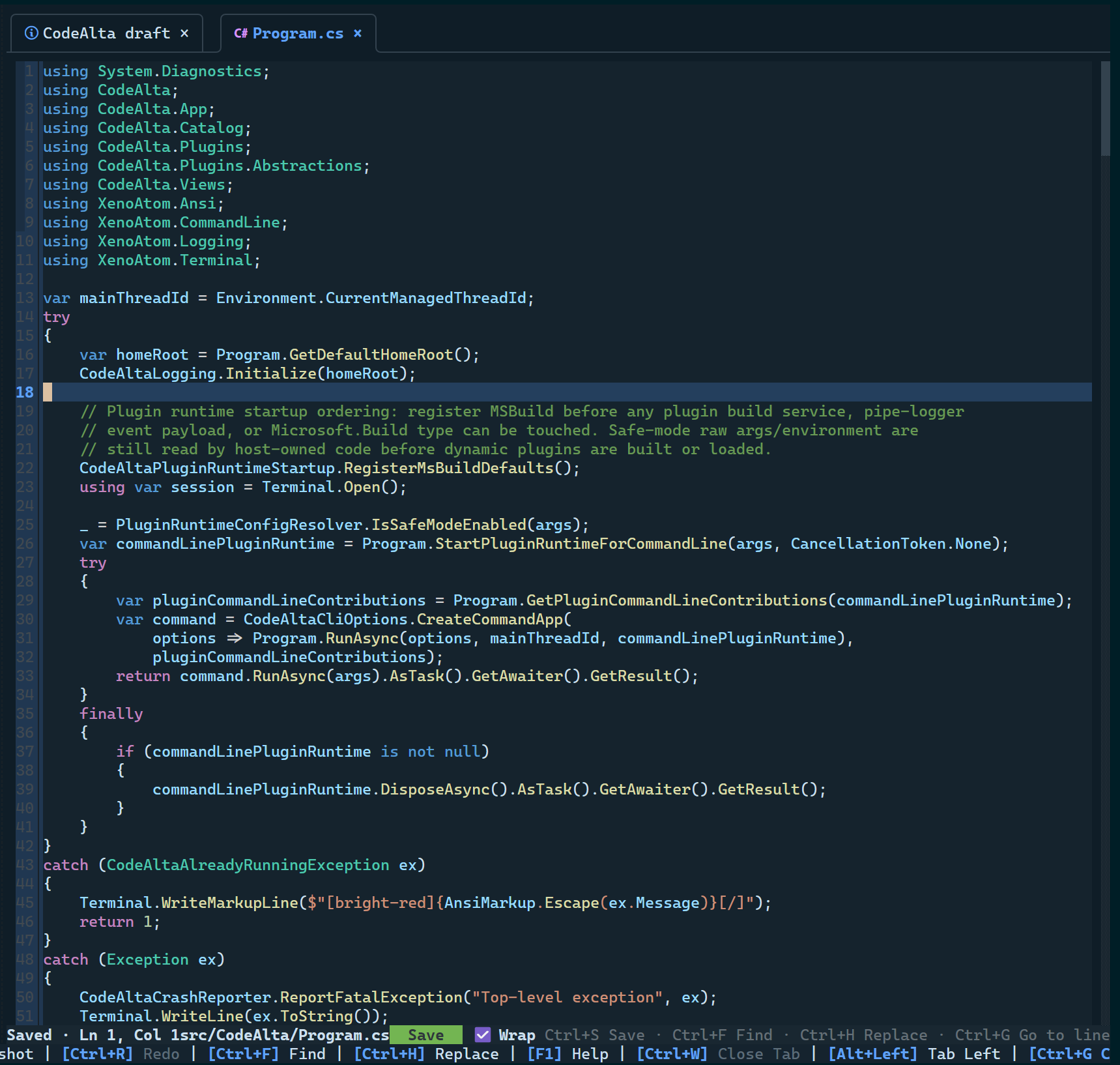
On the desktop, each project has a code editor with its files, a search in files and the open files as tabs. Put it beside the session that is working on the code. In the TUI, Ctrl+E opens a file in an editor tab.
Pick your colors
The desktop has light and dark themes with 13 color schemes. The TUI has its own set of terminal themes.
Appearance settings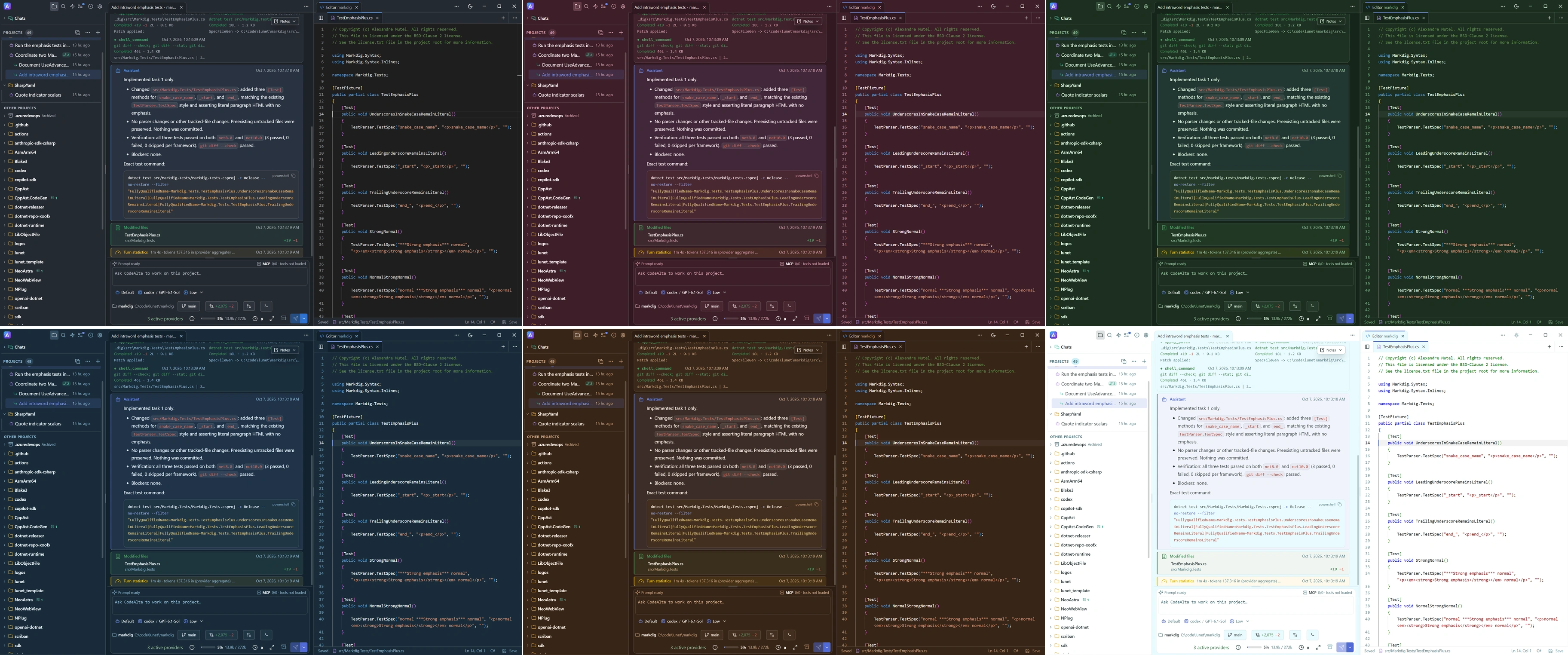
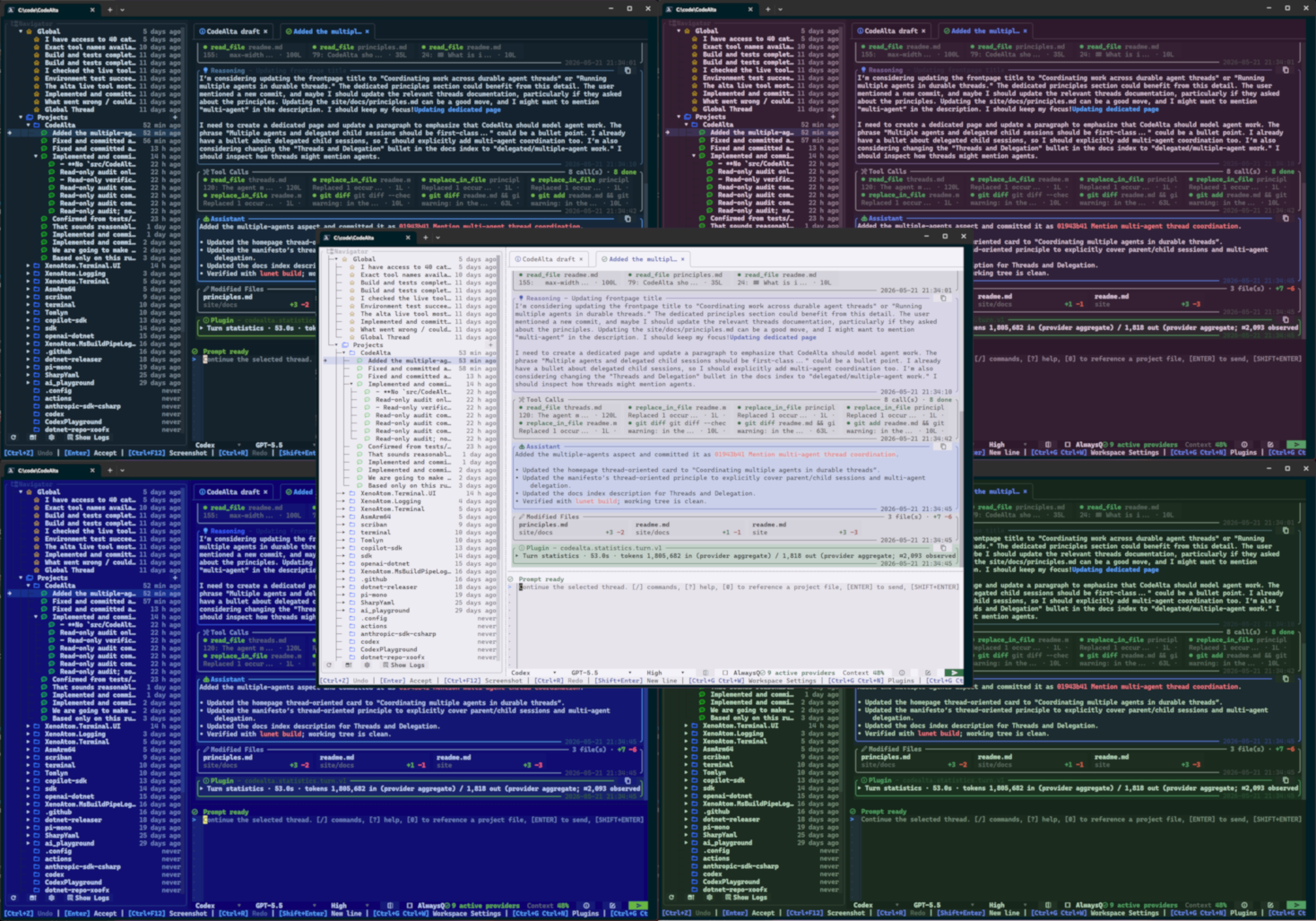
The same agents in your terminal
A keyboard-first terminal UI with tabs, a full-width timeline, a prompt editor and dialogs for everything else.
More than one prompt at a time
Combine agent prompts, MCP servers, skills, delegated sessions, notes, reminders and plugins. You ask for the outcome and the agents use what the host provides.
Agent prompts
Switch between Default and Plan modes, or write your own prompts for review, triage or release work.
MCP servers
Add stdio or HTTP Model Context Protocol servers, inspect their tools and activate them for a session.
Advanced workflows
Agents can ask for structured approval, keep notes, set reminders and coordinate other sessions.
Sessions
Sessions are saved on disk. Queue prompts, steer a running turn, compact the context and come back later.
What CodeAlta is built on
Start your first session
Install CodeAlta Desktop, enable one provider and send a prompt on one of your projects.
Get started