Jira plugin
Many projects keep their code on GitHub or GitLab and their issues in Jira. The built-in Jira plugin brings the issues of a Jira project into CodeAlta: in the Issues tab, for agents, and as a trigger of automations.
Turn it on for a project
Jira is used by a project, never by all of them. Add this to the .alta/config.toml of the project:
[plugins.jira]
enabled = true
site = "example.atlassian.net"
project = "ALTA"
| Key | What it is |
|---|---|
site |
The address of your Atlassian site. |
project |
The key of the Jira project: the letters before the number of an issue, as in ALTA-12. |
That is all. The first time the project needs Jira, CodeAlta downloads the Atlassian CLI (acli) into ~/.alta/cache/jira and tells you so in a notice. Nothing is downloaded for a project that does not turn Jira on.
Sign in
CodeAlta uses the sign-in of the Atlassian CLI. There are two ways.
In the browser. Open the search of the window (Ctrl+P) and run Jira: Sign in. A terminal opens, your browser asks you to allow the Atlassian CLI, and the terminal asks which site to use. Then reload the Issues tab.
With an API token, when you cannot use a browser. Create a token in your Atlassian account and set two environment variables before you start CodeAlta:
export JIRA_EMAIL=me@example.com
export JIRA_API_TOKEN=...
CodeAlta signs in by itself with them. To use other names, add email and token_env to [plugins.jira]:
email = "me@example.com"
token_env = "MY_JIRA_TOKEN"
The token stays in your environment: CodeAlta does not write it anywhere.
Jira: Status, in the same search, says whether Jira is ready and what is missing.
What you get
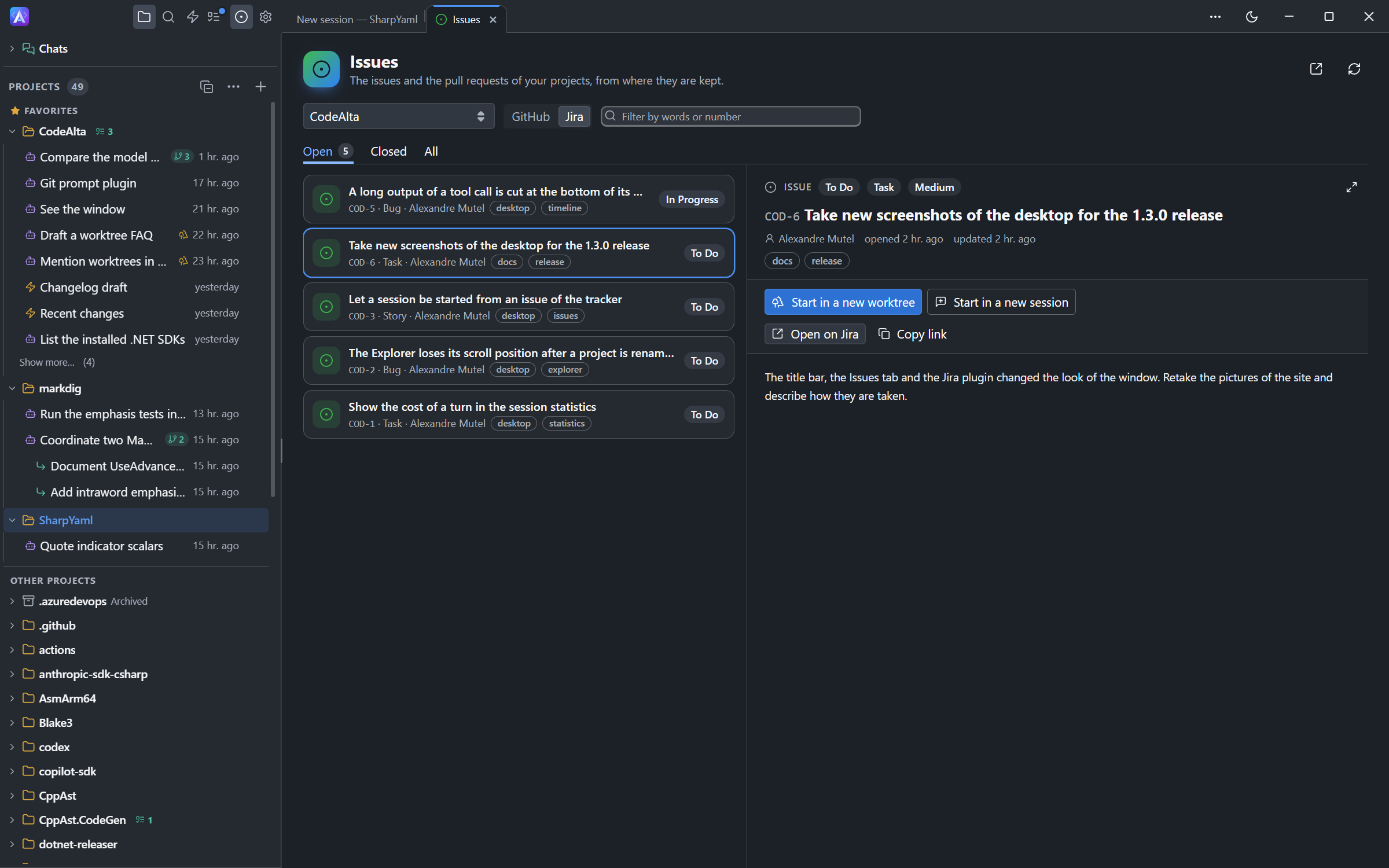
- The Issues tab shows Jira beside the service of the repository. Choose Jira next to the project to list its issues, filter them, read them with their comments, open one in Jira, or start a session on it.
- Agents read the issues with
alta issue, as for any other tracker, and change them withalta jirawhen you ask:
List the open issues of this project and tell me which ones are about the Explorer.
Create a Jira bug for the crash we just found, then move ALTA-12 to In Progress.
- Automations can start when an issue of the project is created or updated: choose the Jira issue trigger. CodeAlta looks at Jira every five minutes.
Turn it off
Remove the [plugins.jira] table of the project, or set enabled = false in it.